250
Setting Inspection Conditions
4.
After setting is completed, press the CANCEL key.
Now you completed registering.
When Image output is "Judge. Per Cam." and Execution Mode is “Automatic Switch”
or “User-Defined”
1.
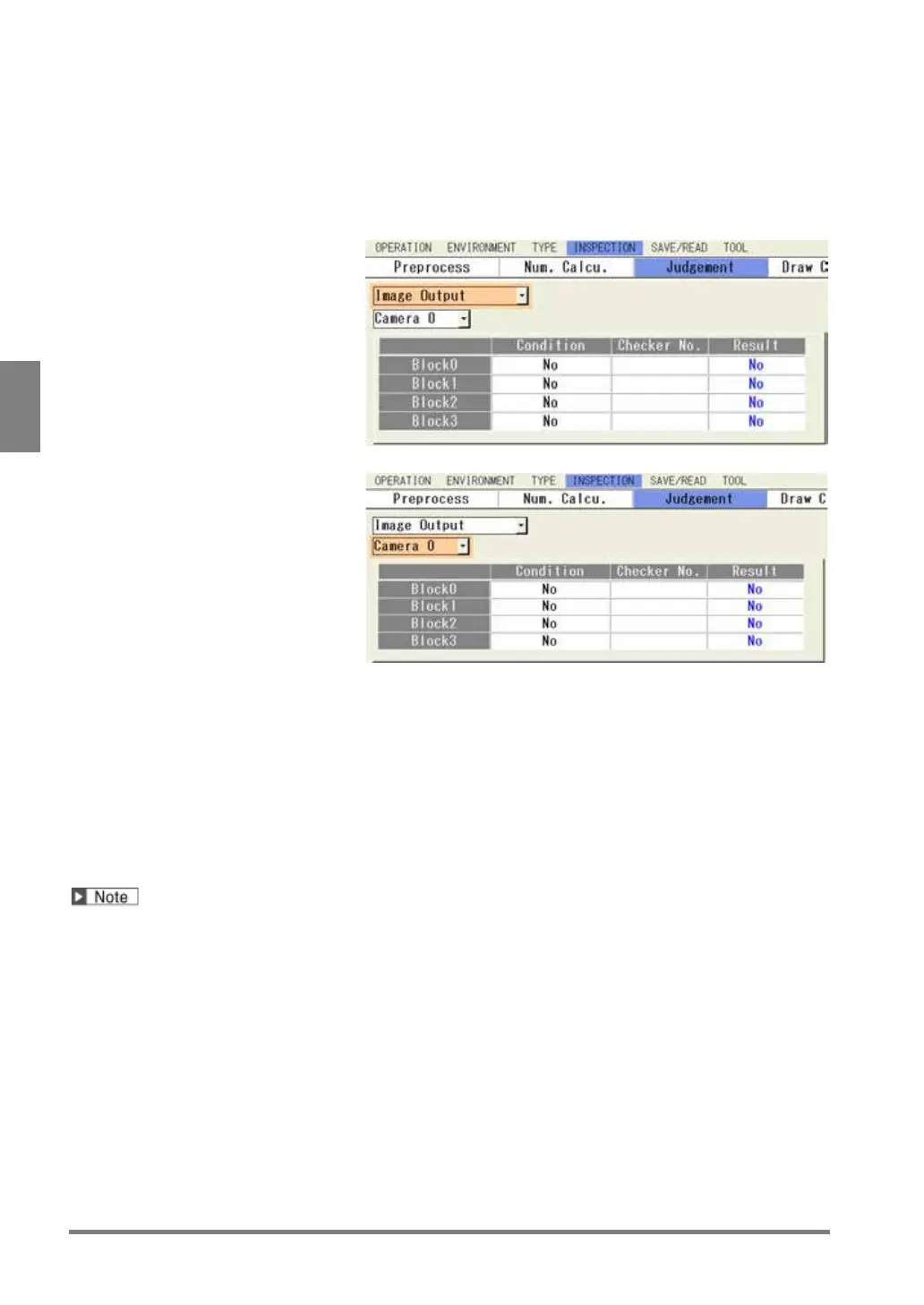
Select "Condition" in judgement
output setting window.
“Condition” setting window is
displayed.
2.
Select “Image Output” in the item
selecting field on the upper left.
3.
Select "Camera No." in the item
selecting field on the upper left.
The list of the image output of
the selected camera by blocks is
displayed.
4.
Select “Condition” column of the block No. to set in the list and select a judgment type.
For details, refer to the procedure of “Execute All” execution mode.
5.
Select “Checker No.” column and set a judgment number.
6.
After setting is completed, press the CANCEL key.
Now you completed registering.
In case of automatic switch, as for the image output, only the setting for the block finally executed is enabled.
For example, if executing the operation in the order of block No. 0 -> block No.1 when the conditions for the
inspection image output have been set for the block No. 0 only, the inspection image is not output as the
conditions for the inspection image output have not been set for the block No. 1 finally executed.


 To Next Page
 Loading...

