365
Operation and Data Output through I/O Terminals
How to Wire
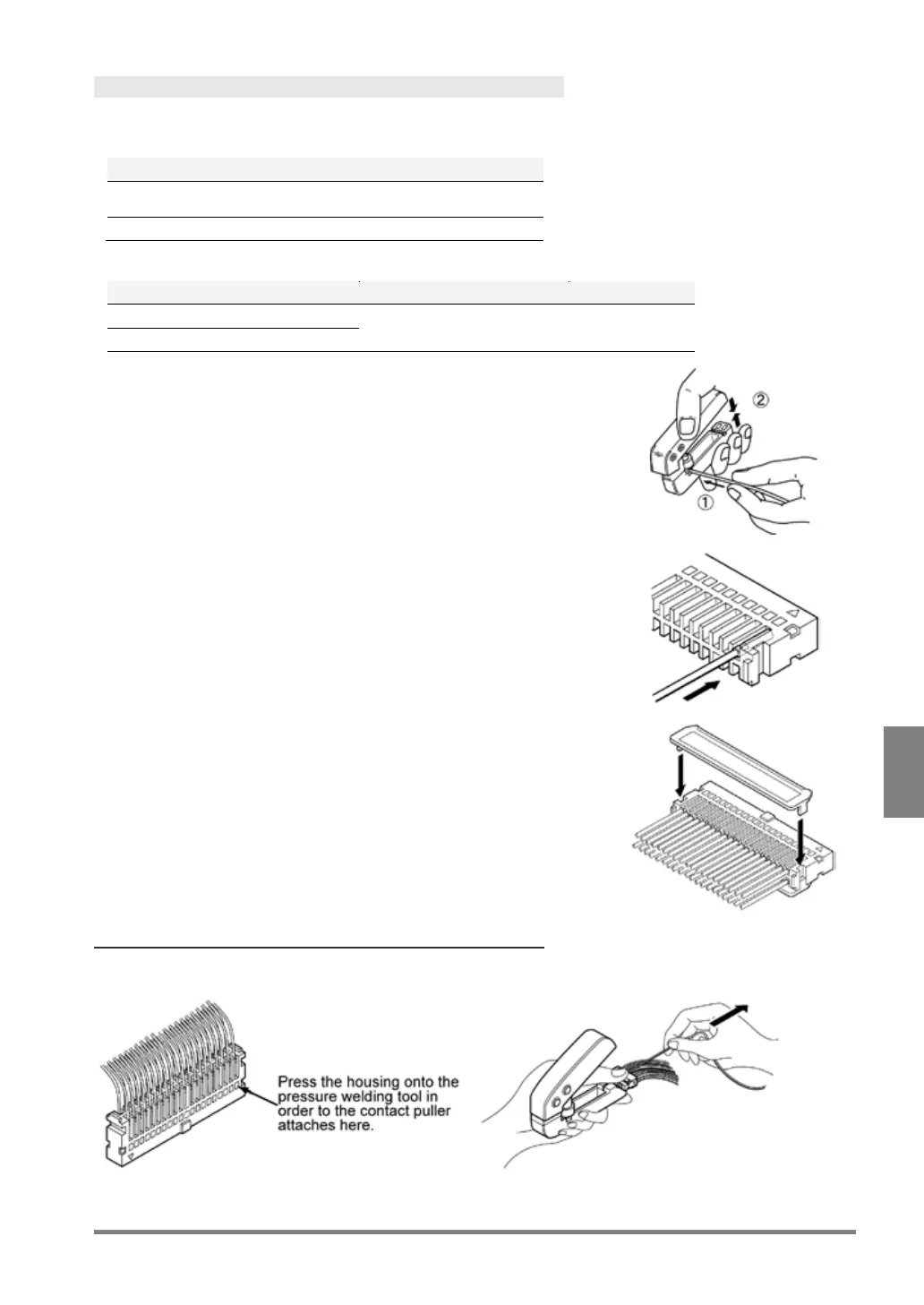
Connect them using the discrete wires supplied with the product. The special tool is required to connect the
wires.
Included connector and special tool
Included parts (Contact, housing and
semi-cover)
Applicable wire
Outer insulation diameter
1.
Bend the contact from the carrier, and set it in the pressure
welding tool.
2.
Insert the wire without removing its insulation until it stops,
and lightly grip the tool.
The wire is welded.
3.
Insert the welded wire into the housing.
4.
Attach the cover after inserting necessary wires.
Now you completed wiring.
To Rewire
You can pull out the contact using “contact puller” attached to the tool.



 To Next Page