367
Operation and Data Output through I/O Terminals
Wiring with Terminal Block
Be sure to cut the power of PV500 before wiring. Wiring while the power is supplied might cause damage of
PV500 and the connecting external device.
About Terminal Block Socket
Terminal block socket (included):
Manufactured by PHOENIX CONTACT
Model number: FMC1.5 / 16-ST-3.5
AWG#24 - 16, 0.2 - 1.5 mm
2
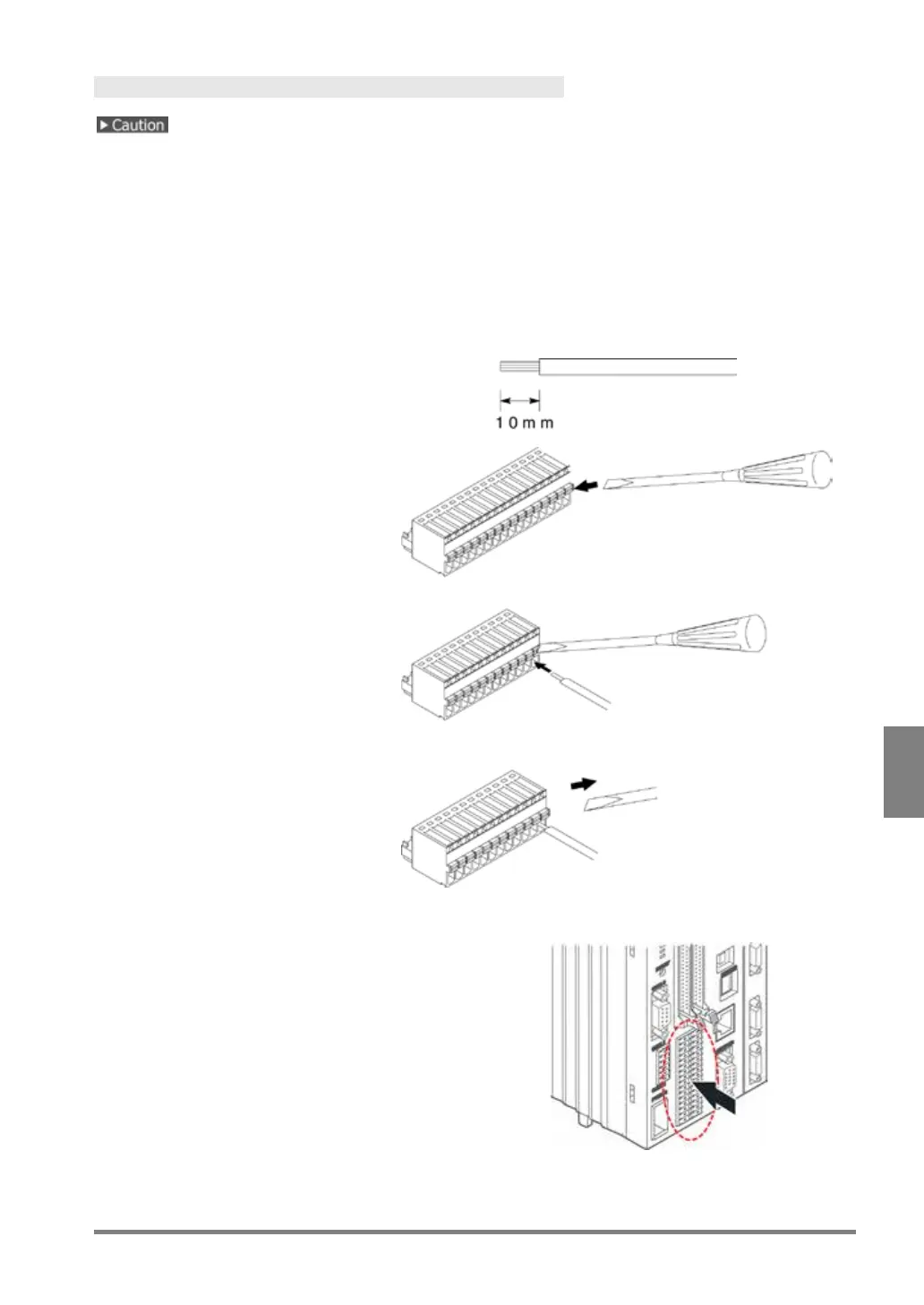
How to Wire
1.
Remove the wire shield.
2.
Push the orange part into the
socket with a slotted screwdriver.
3.
Insert the lead wire all the way
into it pressing the orange part.
4.
Release the screw driver.
The lead wire is connected.
Connect the lead wire with the pins
as necessary.
5.
After wiring is complete, attach it to the I/O
terminal block.



 To Next Page