394
Control with Communication Port
Connecting PV500 with PC
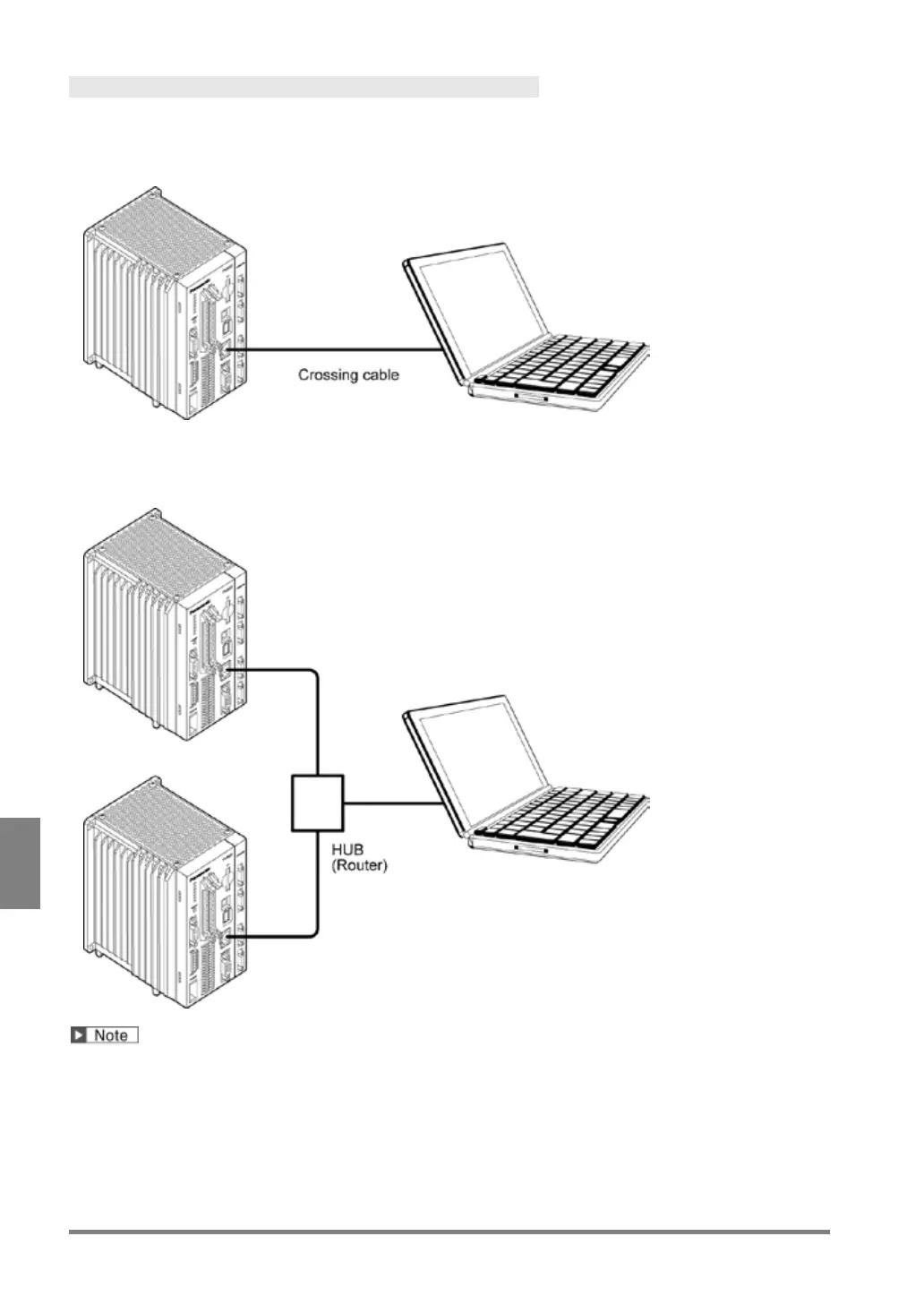
Communicating between a PV500 and a PC
Connect them with a commercially available crossing cable. (STP crossing cable of category 5e or more is
recommended.)
Communicating between a PV500 and Multiple PCs
Connect them with a commercially available straight cable (STP straight cable of category 5e or more is
recommended.) through a hub or a router, which supports 1000BASE-T, 100BASE-TX, and 10BASE-T.
Do not use the same IP addresses for the PV500 and the PC on the network.



 To Next Page