66
Setting Inspection Conditions
◆How to calculate camera gain value◆
Gain Range: 0.25 to 1.00 (Initial Value: 0.50) Setting unit: 0.01[Indication of setting]
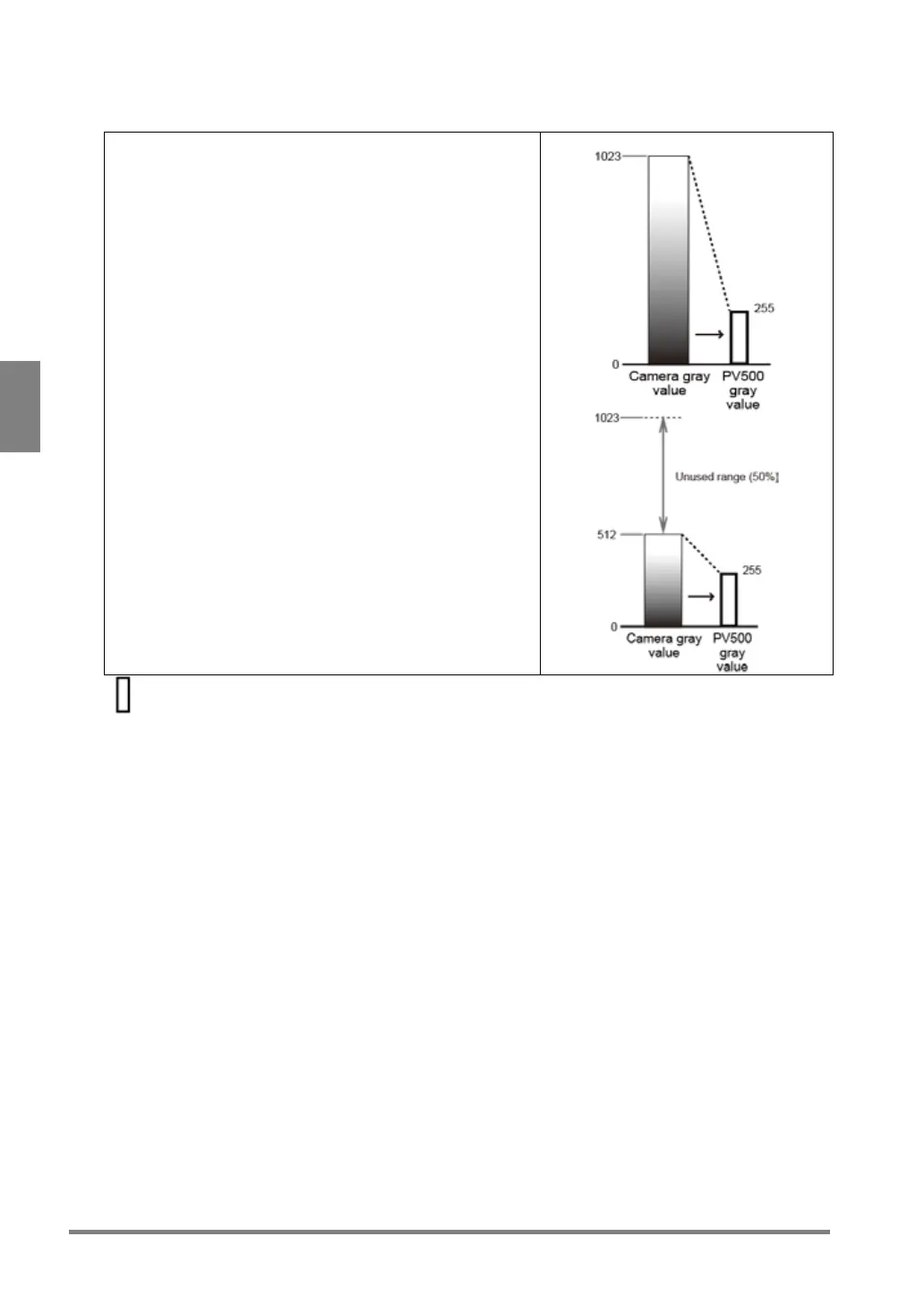
- When using 100% of camera gray value
Camera gain = Max. value of PV500 gray value (255 fixed) /
Max. value of camera gray value
= 255 / 1023
= Approx. 0.25
- When using 50% of camera gray value
Camera gain = 255 / (1023 x 0.50)
= Approx. 0.5
* Unused camera gray values, 513 to 1023, are replaced
with 512.
256-tone width = Gray values used for inspections in PV500.
The range of brightness of this square is 0 to 255.
[Detail]
Camera gray values will be more compressed when setting a smaller camera gain. A part of the created
gray values in progress is used for inspections as inspection gray values. The position where they are
used as inspection gray values are set by [Offset] described in the next chapter.



 To Next Page