72
Setting Inspection Conditions
Changing Coordinate Origin
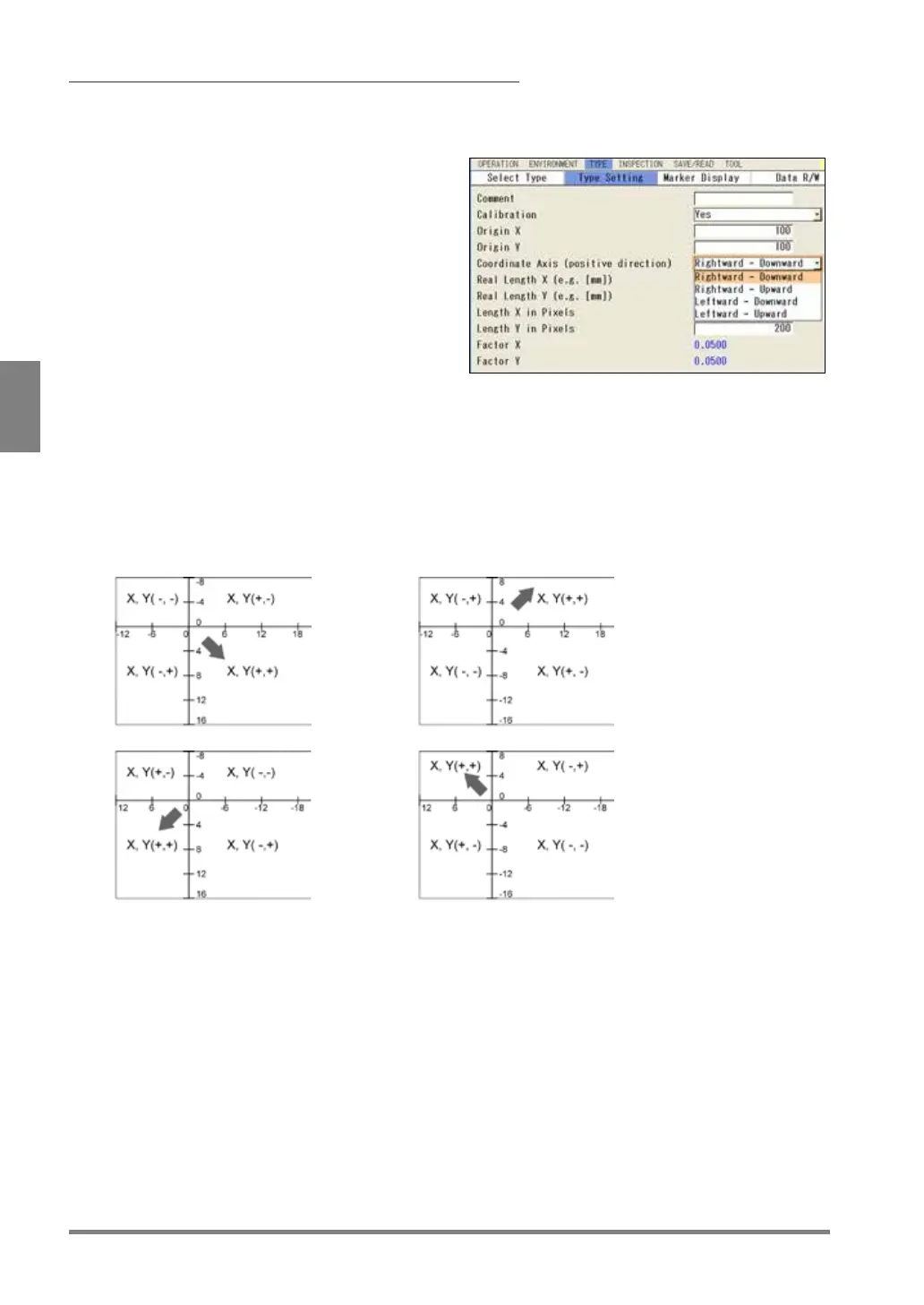
The coordinate origin is set at upper left position of the image as the default. You can change this position.
1.
Select the camera No. to set in “Camera”
window.
2.
Select "Calibration".
“Calibration” window is displayed.
3.
Set “Calibration” to “Yes”.
Now you can set all items.
4.
Enter value for “Origin X” and “Origin Y”.
For example, if you want the position of
coordinate (100, 100) to be the origin, enter “100”
5.
Select "Coordinate Axis".
Select from the following four types.
Decide which direction from the origin you make it positive side, right or left, up or down.
“Rightward - Downward” (default)
6.
After setting is completed, press the CANCEL key.



 To Next Page