83
Setting Inspection Conditions
Preprocess Filter List
Index 1
• Common parameter:
Size: 3x3, 5x5, 7x7, 9x9
Direction: X/Y, X(only), Y(only)
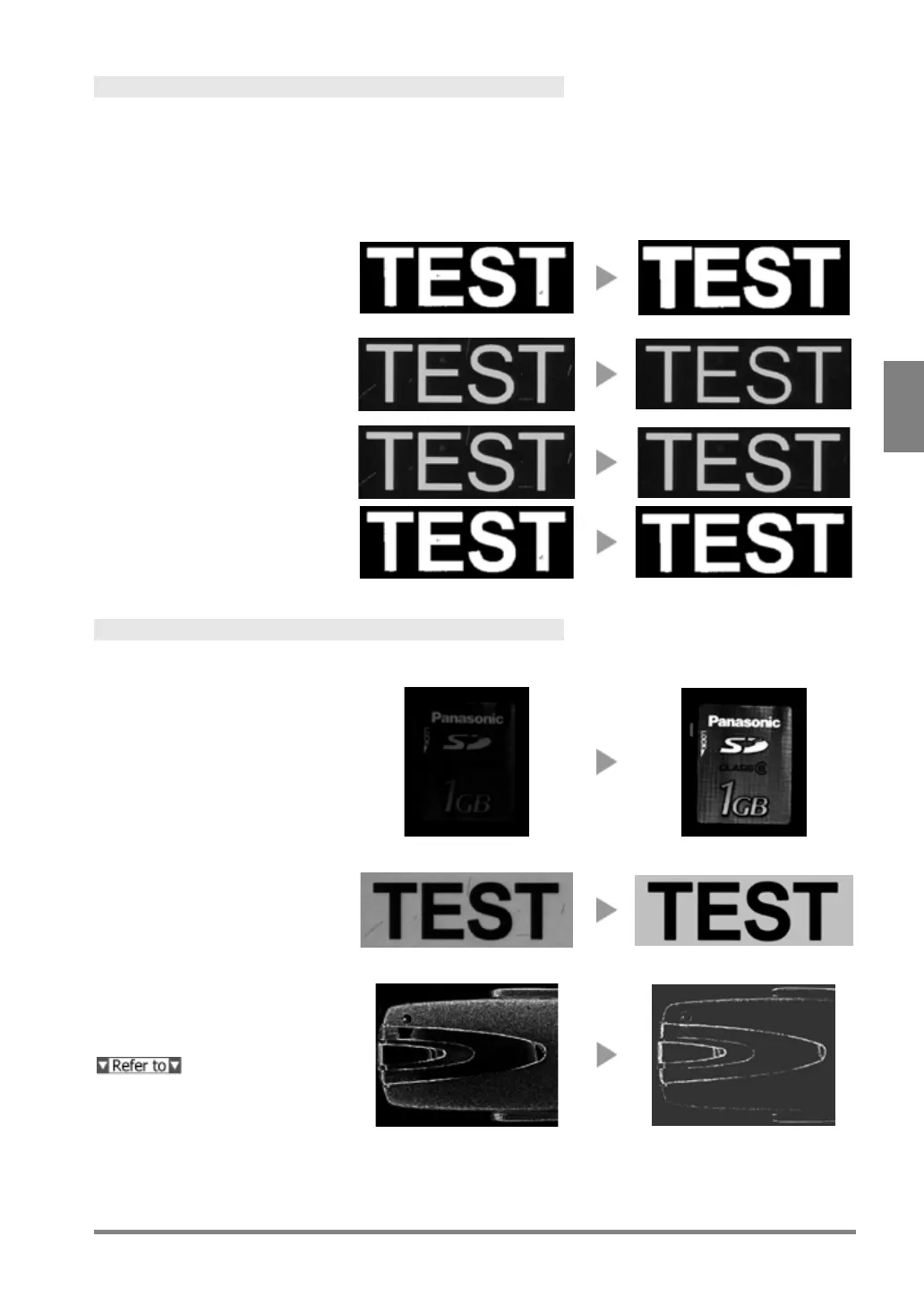
Dilation
Dark (or black) noises are
removed. Black areas in the image
of the object contract. White areas
in the image of the object expand.
Erosion
Light (or white) noises are
removed. White areas in the image
of the object contract. Black areas
in the image of the object expand.
Erosion -> Dilation
After removing light (or White)
noises, return the contracted area
Dilation -> Erosion
After removing dark (or black)
noises, return the expanded area
Index 2
Main application: Change in gray level
Auto Correction
Automatically corrects the
brightness or contrast according to
the luminance graph for the whole
image.
Reorganizes the specified
grayscale range into the one
between 0 and 255. This function is
effective if there are any light or
dark noises in the background, or if
the contrast of the image of the
Area Averaging
Averages the brightness in the
specified area.
Page 84



 To Next Page