102
3
Taking Pictures
8
Take the third frame.
Repeat Steps 5 to 7 to take the third frame.
The panorama images are joined and a stitched together image
appears.
The stitched image does not appear when [Instant Review] (p.133) is
P (Off).
1
After shooting the first frame in Step 6 on p.101 or the
second frame in Step 7, press the 4 button or the
four-way controller (3).
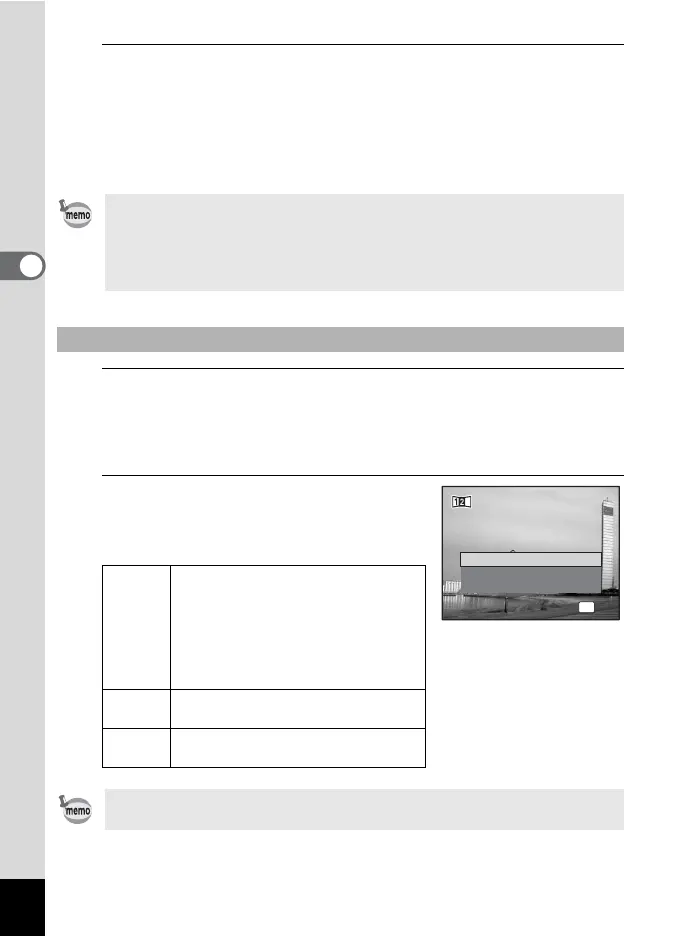
A confirmation dialog appears.
2
Use the four-way controller (23)
to select an option and press the
4 button.
• Some distortion may result from moving objects, repeating patterns, or
if nothing exists when overlapping the first and second frames or the
second and third frames on the preview guide.
• When the Face Detection function (p.70) is activated, it works only
when taking the first shot.
To Cancel after Taking the First or Second Frame
Save Saves the captured image(s) and you
can retake the first frame. When this
option is selected after shooting the
second frame, the first and the
second frames are stitched together
and saved as a panoramic
photograph.
Discard Discards the captured image(s) and
you can retake the first frame.
Cancel Returns to the previous shooting
screen.
Unstitched images captured in F mode are saved with a pixel size of
i (1600×1200).
Save
Discard
Cancel
Save the image(s) and
exit this screen?
Save the image(s) and
exit this screen?
OK
OK



 To Next Page