155
4
Playing Back and Deleting Images
You can play back recorded images one after another.
1
In Q mode, use the four-way controller (45) to
choose the image to start the slideshow with.
2
Press the four-way controller (3).
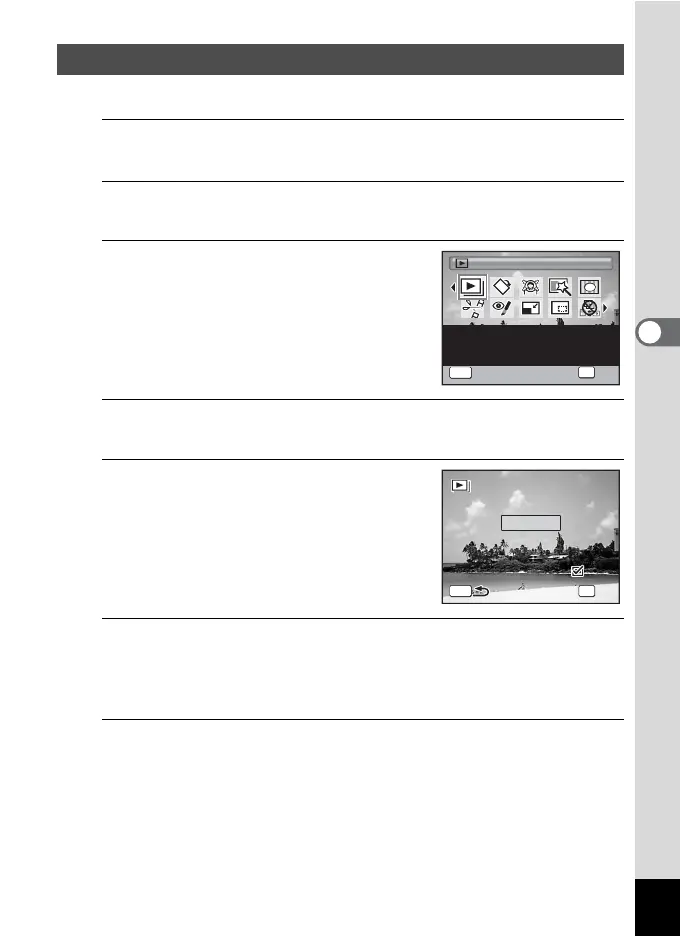
The Playback Mode Palette appears.
3
Use the four-way controller
(2345) to select u
(Slideshow).
4
Press the 4 button.
The slideshow setting screen appears.
5
Use the four-way controller (23)
to select [Start].
6
Press the 4 button.
The slideshow starts.
Pressing the 4 button during the slideshow pauses the slideshow.
To resume the slideshow, press the 4 button again.
7
Press any button other than the 4 button.
The slideshow stops.
Slideshow
Slideshow
For continuously playing
back images. Screen or
sound effects can be set
1/2
OK
OK
MENU
Cancel
MENU
3sec.
Interval
S l i d e s h o w s t a r t s
Slideshow starts
Screen Effect
Start
Wipe
Sound Effect
OK
OK



 To Next Page