47
1
Getting Started
10
Press the 4 button.
The [Date Adjustment] screen appears. Next, set the date and time.
Set the current date and time and the display style.
1
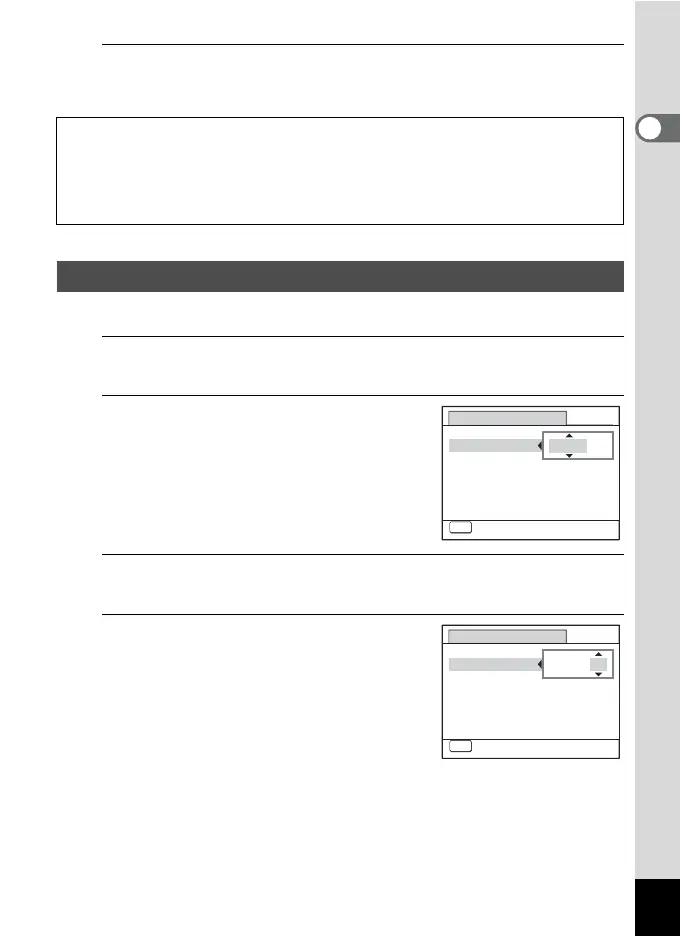
Press the four-way controller (5).
The frame moves to [mm/dd/yy].
2
Use the four-way controller (23)
to choose the date format.
Choose from [mm/dd/yy], [dd/mm/yy] or
[yy/mm/dd].
3
Press the four-way controller (5).
The frame moves to [24h].
4
Use the four-way controller (23)
to select [24h] (24-hour display) or
[12h] (12-hour display).
The video output format (NTSC/PAL) is set to the format of the city selected in
[Hometown] on the [Initial Setting] screen. Refer to “List of World Time Cities”
(p.252) for the video output format of each city that will be set at the time of initial
setting, and “To Select the Video Output Format” (p.171) for changing the video
output format.
Setting the Date and Time
Date Adjustment
MENU
Cancel
Date Format
Date
Time
24h
01/01/2010
00:00
mm/dd/yy
Settings complete
Date Adjustment
MENU
Cancel
Date Format
Date
Time
01/01/2010
00:00
Settings complete
24h
mm/dd/yy



 To Next Page