209
7
Settings
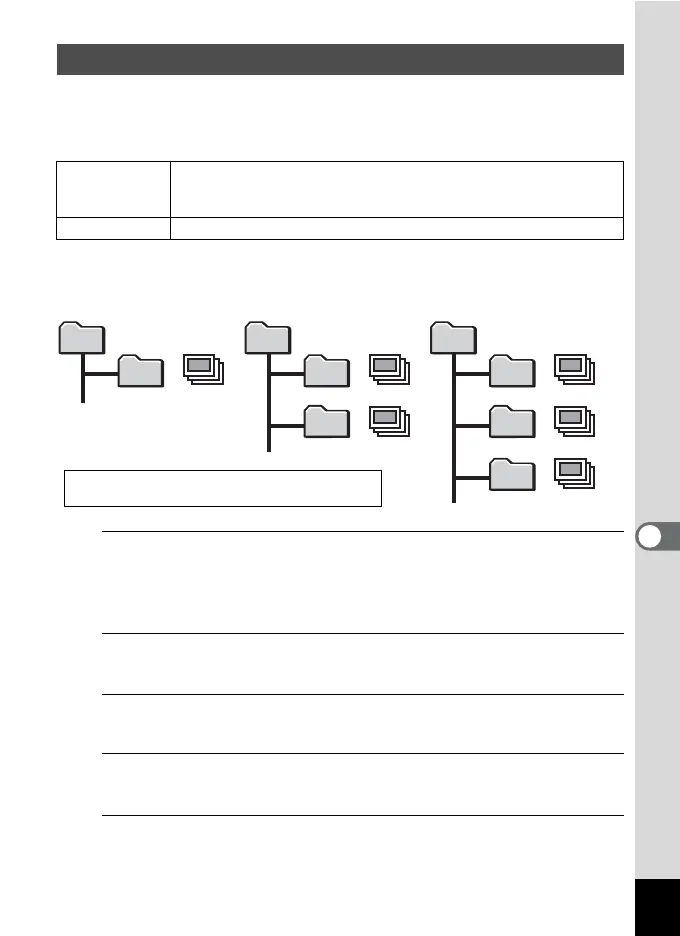
You can change the naming system of the folder for storing images.
When the naming system is set to the date, pictures are saved in
separate folders by the date they were taken.
1
Press the 3 button in Q mode.
The [W Setting] menu appears.
When you press the 3 button in A mode, press the four-way
controller (5) once.
2
Use the four-way controller (23) to select [Folder
Name].
3
Press the four-way controller (5).
A pull-down menu appears.
4
Use the four-way controller (23) to select [Date] or
[PENTX].
5
Press the 4 button.
The setting is saved.
Changing the Naming System of the Folder
Date
(Default setting)
xxx_mmdd (3-digit folder number_month day)
* xxx_ddmm (3-digit folder number_day month) when [Date Format]
is set to [dd/mm/yy]
PENTX xxxPENTX (where xxx is the 3-digit folder number)
DCIM
100PENTX
101_0925
102_1001
DCIM
100PENTX
101_0925
DCIM
100PENTX
100 100
101
100
101
102
Taken with the folder
name setting [PENTX].
(e.g. September 25)
Taken with the folder
name setting [Date].
(e.g. September 25)
Next time, taken with
the folder name
setting [Date] again.
(e.g. October 1)
• Up to 900 folders can be created.
• Up to 9999 images or sounds can be saved in a folder.



 To Next Page