54
2
Common Operations
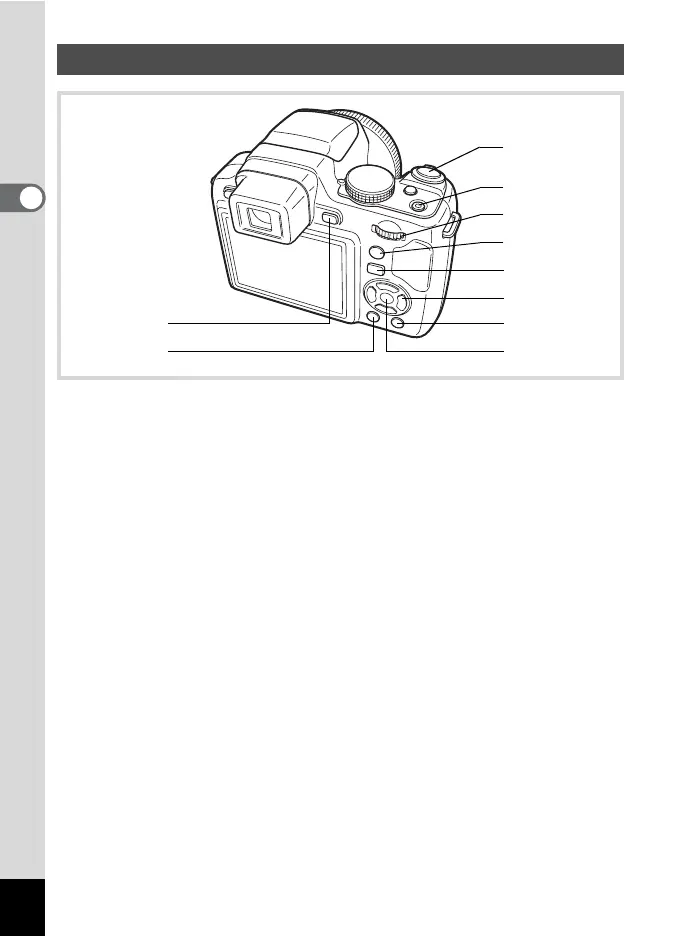
1 u button
Changes the information on the display (p.24).
2 3 button
Displays the [W Setting] menu during single-image display (p.57).
Returns to single-image display during Playback Mode Palette display.
Returns to single-image display during four-/nine-image display or
zoom display.
Switches from folder/calendar display to nine-image display with the
cursor placed on the most recent image.
3 Shutter release button
Switches to A mode (p.56).
4 Power switch
Turns the camera on and off (p.41).
5 e-dial
Turn to the left (
f
) during single-image display to change to four-image
display. Changes to nine-image display when turned to the left again.
Returns to the previous display when turned to the right (
y
) (p.150).
Enlarges the image when turned to the right (
y
) during single-image
display. Returns to the previous display when turned to the left (
f
) (p.158).
Turn to the left (f) during nine-image display to change to folder or
calendar display (p.151).
Q Mode
3
7
8
0
6
4
5
9
1
2



 To Next Page