184
5
Editing and Printing Images
You can correct images where the flash has caused the subject to
appear with red eyes.
1
In Q mode, use the four-way controller (45) to
choose the image you want to correct.
2
Press the four-way controller (3).
The Playback Mode Palette appears.
3
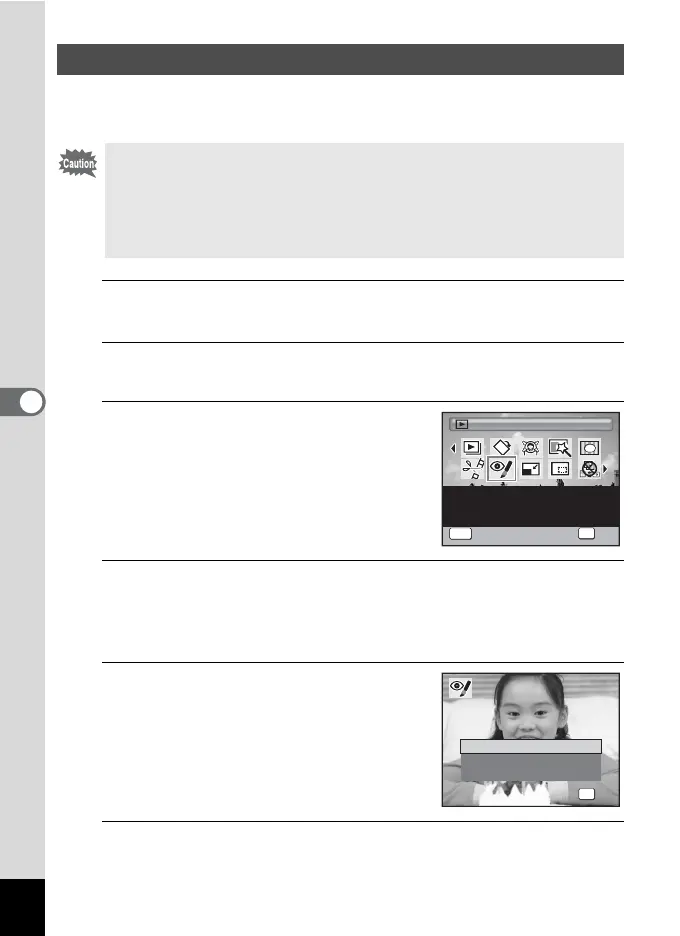
Use the four-way controller
(2345) to select Z (Red-eye
Compensation).
4
Press the 4 button.
A confirmation dialog for overwriting the image appears.
If the selected image is protected, the processed image is saved as a
new image and the following confirmation dialog does not appear.
5
Use the four-way controller (23)
to select [Overwrite] or [Save as].
6
Press the 4 button.
The edited image is saved.
Compensating for Unwanted Red-eye Effects
• The red-eye compensation function cannot be used on images taken
with the F (Digital Panorama) mode, movies or on images where red
eyes cannot be detected on the camera. If you choose them to apply
this function, an error message appears in Step 4.
• The red-eye compensation function can only be used with still pictures
taken with this camera.
1/2
Red-eye Compensation
OK
OK
MENU
Cancel
For compensating red-eye.
May not work due to the
condition of the image
OK
OK
OK
Overwrite
Save as
Cancel
Overwrite
original image?
o r i g i n a l i m a g e ?
Overwrite
original image?



 To Next Page