107
3
Taking Pictures
Lets you set the desired aperture value for controlling the depth of field.
The depth of field is deeper and the front and back of the focused object
is clear when aperture is set to a large value. The depth of field is
shallower and the front and back of the focused object is blurred when
aperture is set to a small value.
Shutter speed is automatically set to appropriate exposure depending on
the aperture value.
1
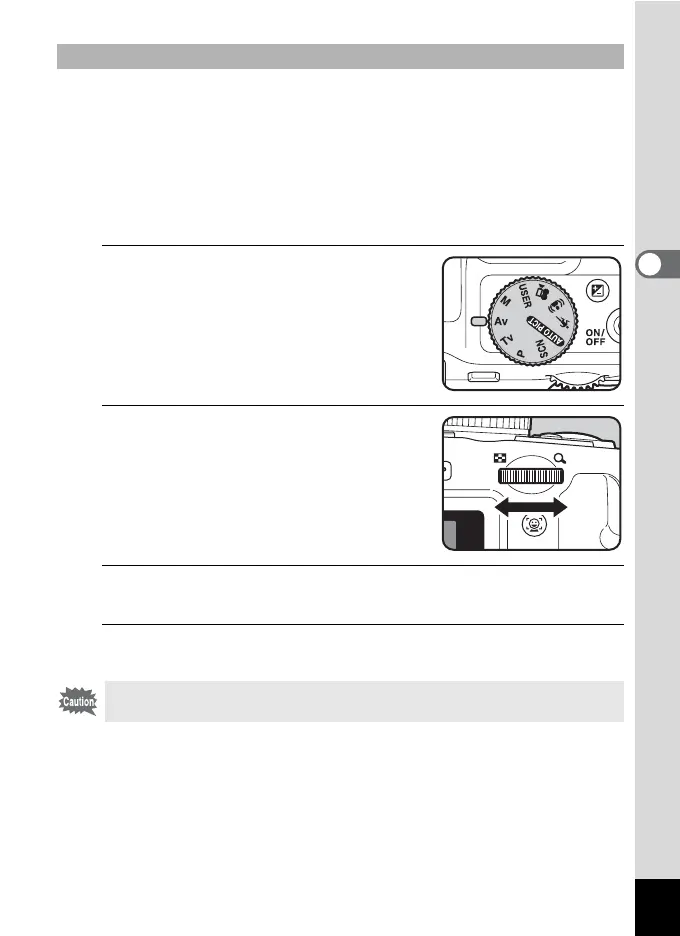
Set the mode dial to c.
2
Turn the e-dial to change the
aperture value.
3
To use the flash, press the b button.
The flash pops up. (p.114)
4
Take the picture.
To Use the c (Aperture Priority) Mode
Flash modes , (Auto) and c (Auto + Red-eye) are not available.



 To Next Page