208
7
Settings
You can change the language in which the menus, error messages, etc.
are displayed.
The camera supports the following languages: English, French,
German, Spanish, Portuguese, Italian, Dutch, Japanese, Danish,
Swedish, Finnish, Polish, Czech, Hungarian, Turkish, Greek, Russian,
Thai, Korean, Traditional Chinese and Simplified Chinese.
1
Press the 3 button in Q mode.
The [W Setting] menu appears.
When you press the 3 button in A mode, press the four-way
controller (5) once.
2
Use the four-way controller (23) to select [Language/
u].
3
Press the four-way controller (5).
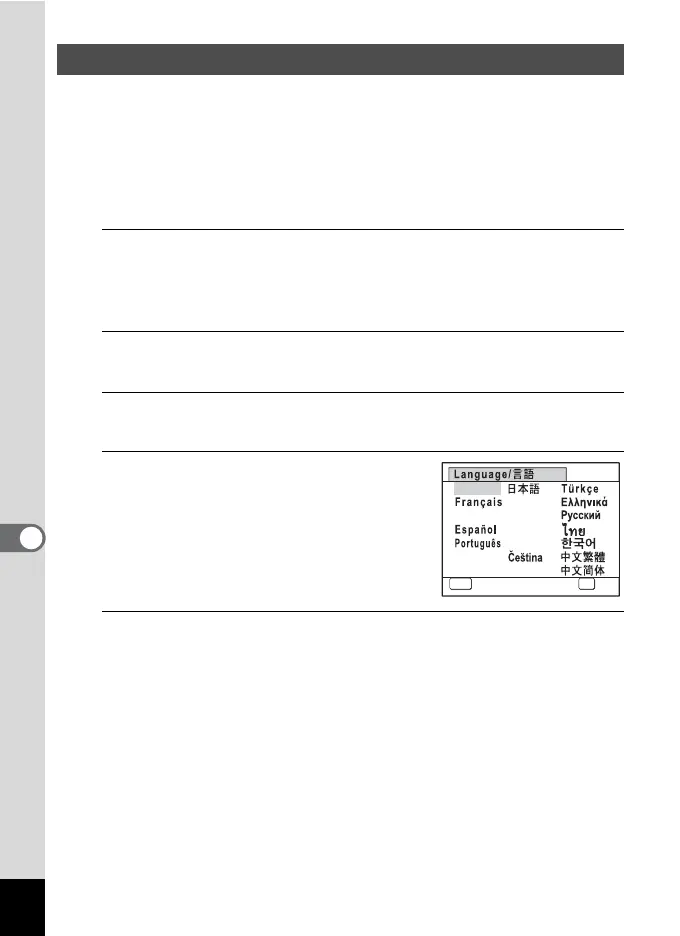
The [Language/u] screen appears.
4
Use the four-way controller
(2345) to select a language.
5
Press the 4 button.
The menus and messages are displayed in the selected language.
Changing the Display Language
MENU
Cancel
English
Nederlands
Svenska
Italiano
Dansk
OK
Deutsch
Polski
Magyar
Suomi
OK



 To Next Page