148
4
Playing Back and Deleting Images
Playing Back Images
1
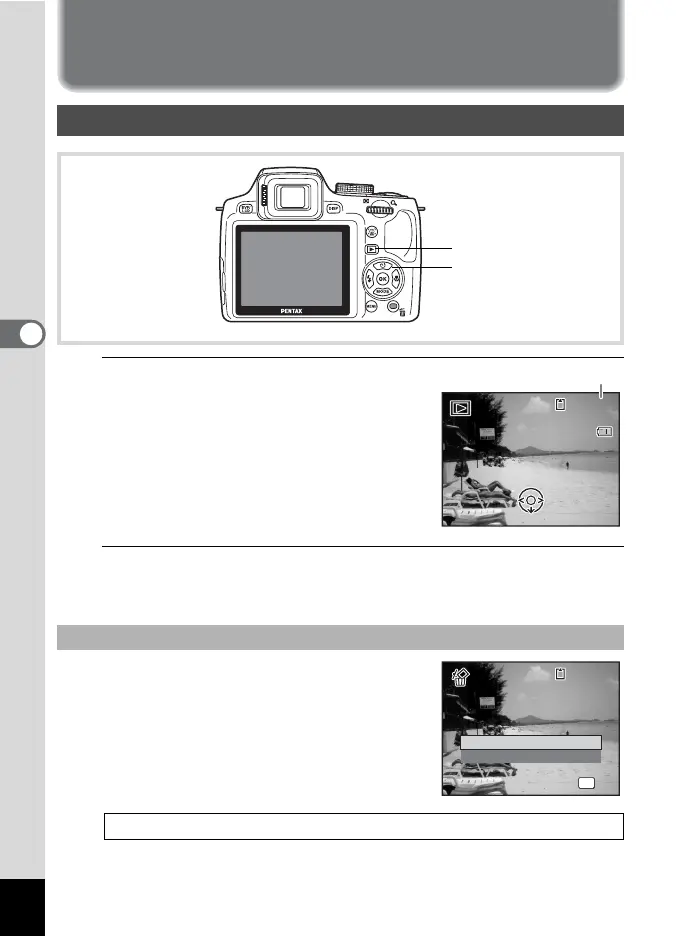
Press the Q button after taking a
picture.
The camera enters the Q mode and the
image appears on the display (Single-
image display).
2
Press the four-way controller (45).
The previous or next image appears.
Press the i button while the image is
displayed to display the Delete screen. Press
the four-way controller (2) to select [Delete]
and press the 4 button.
Playing Back Still Pictures
To Delete the Displayed Image
For information on other deletion procedures 1p.161
Four-way controller
Q button
14:25
14:25
100
-
0038
100
-
0038
02/02/2010
Edit
02/02/2010
File number
OK
OK
Delete
Cancel
100
-
0017
100
-
0017



 To Next Page