129
3
Taking Pictures
5
Press the 4 button.
The setting is saved.
6
Press the 3 button.
The camera returns to capture status.
You can adjust the flash output.
1
Press the 3 button in A mode.
The [A Rec. Mode] menu appears.
2
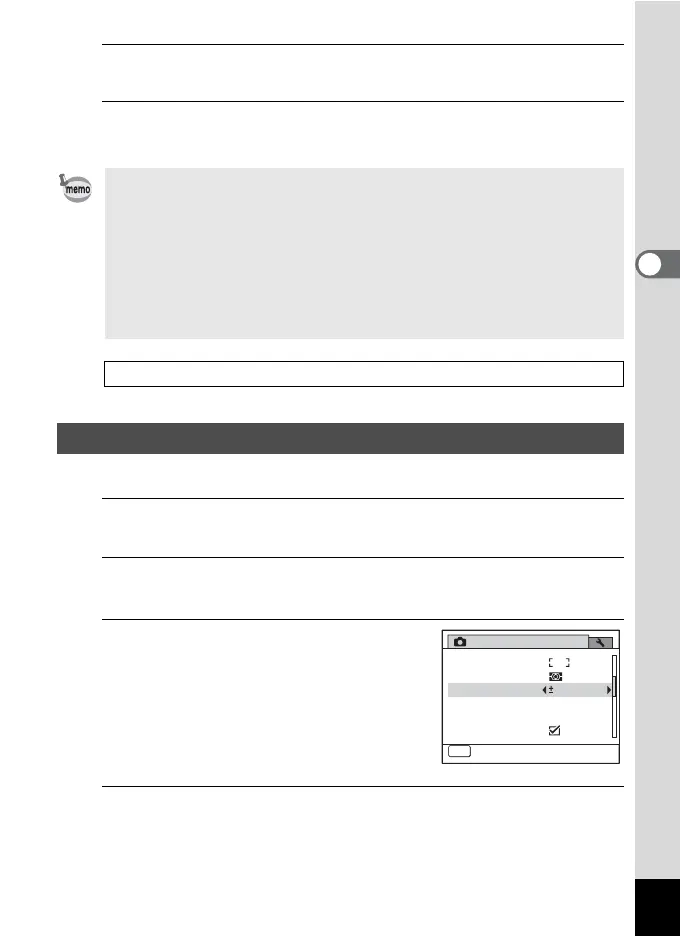
Use the four-way controller (23) to select [Flash Exp.
Comp.].
3
Use the four-way controller (45)
to select the EV value.
To brighten, select a positive (+) value. To
darken, select a negative (–) value.
You can choose the EV setting in the range
of –2.0 EV to +2.0 EV in increments of 1/3
EV.
4
Press the 3 button.
The camera returns to capture status.
• When the shutter release button is pressed halfway, the brightness is
metered and the exposure is determined.
• When the subject is outside the focusing area and you want to use N,
aim the camera at the subject and press the shutter release button
halfway to lock the exposure, then compose your picture again and
press the shutter release button fully.
• Depending on the selected shooting mode, the AE metering setting
may not be changed. Refer to “Functions Available for Each Shooting
Mode” (p.238) for details.
Saving the AE Metering setting 1p.144
Compensating Flash Output
Rec. Mode
MENU
Exit
2/4
AE Metering
AF Setting
Flash Exp. Comp.
D-Range Setting
Shake Reduction
Movie
0.0



 To Next Page