93
3
Taking Pictures
In these modes, pictures are taken continuously as long as the shutter
release button is pressed.
1
Press the four-way controller (2) in A mode.
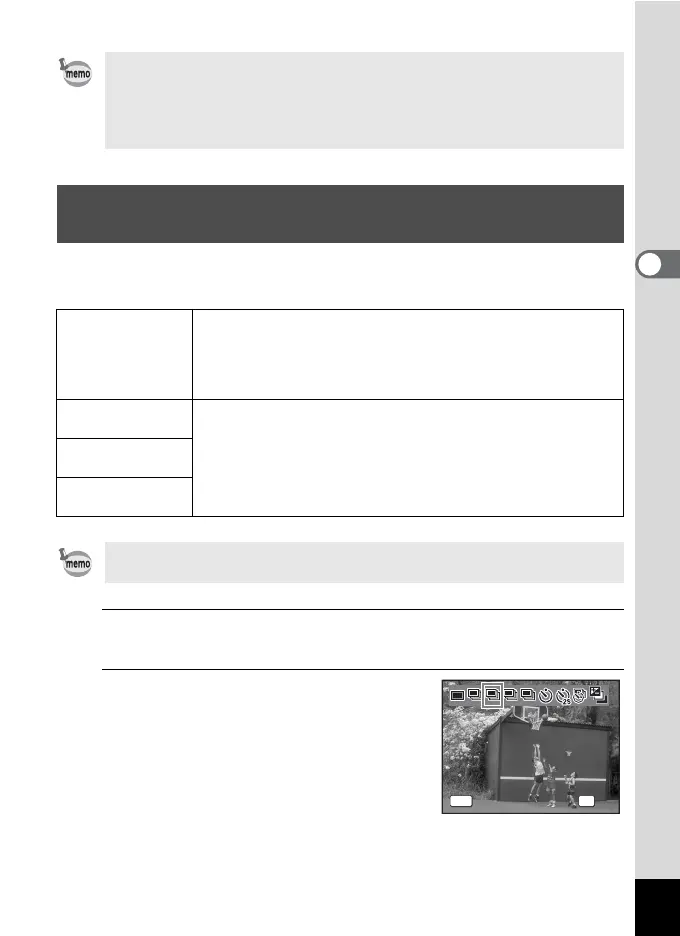
The [Drive Mode] screen appears.
2
Use the four-way controller (45)
to select j , A, B or C and press
the 4 button.
The camera is ready to take a series of
pictures.
•In C (Movie) mode, recording will start after ten seconds (or two
seconds).
• Press the shutter release button halfway while the self-timer is
engaged to stop the countdown and press fully to restart the
countdown.
Taking a Series of Pictures (Continuous
Shooting/Burst Shooting Mode)
j
Continuous
Shooting
Each time a picture is taken, the image is saved in the memory
before the next image is taken. The higher the image quality, the
longer the interval between shots.
You can continue shooting until the memory of the SD Memory
Card or the built-in memory is full.
A
Burst
Shooting(L)
The number of recorded pixels is fixed to f (2592×1944) and
pictures are taken continuously. The interval between shots
becomes shorter in the following sequence: A, B, and C.
B
Burst
Shooting(M)
C
Burst
Shooting(H)
The number of pictures that can be taken continuously and the interval
between shots vary depending on the shooting conditions.
LL MM HH
OK
OK
Drive Mode
Burst Shooting(L)
MENU
Cancel



 To Next Page