130
3
Taking Pictures
Expands the dynamic range and prevents bright and dark areas from
occurring. [Highlight Correction] adjusts the bright areas when the image
is too bright and [Shadow Correction] adjusts the dark areas when the
image is too dark.
1
Press the 3 button in A mode.
The [A Rec. Mode] menu appears.
2
Use the four-way controller (23) to select [D-Range
Setting].
3
Press the four-way controller (5).
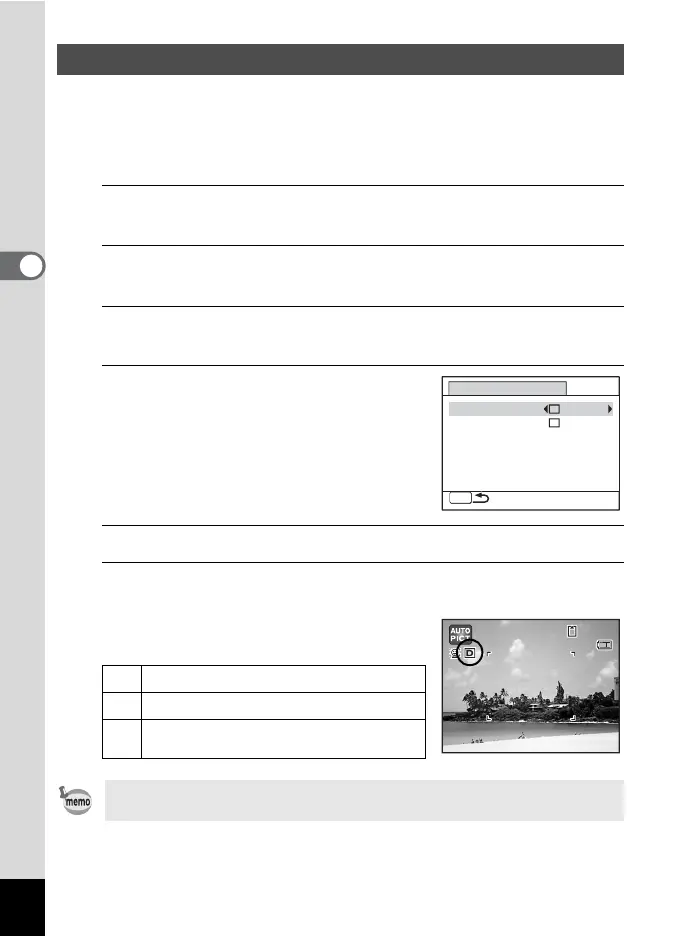
The [D-Range Setting] screen appears.
4
Use the four-way controller (23)
to select [Highlight Correction] or
[Shadow Correction].
5
Use the four-way controller (45) to select O or P.
6
Press the 3 button twice.
The camera returns to capture status.
The D-Range Setting icon appears on the
display.
Compensating for Brightness (D-Range Setting)
P
When [Highlight Correction] is set to O
Q
When [Shadow Correction] is set to O
O
When [Highlight Correction] and [Shadow
Correction] are both set to O
When [Highlight Correction] is set to O, the minimum sensitivity is 125.
D-Range Setting
MENU
Highlight Correction
Shadow Correction
14:25
14:25
38
38
02/02/2010
02/02/2010



 To Next Page