161
4
Playing Back and Deleting Images
Deleting Images
You can delete images that you do not want to keep.
You can delete a single image.
1
In Q mode, use the four-way controller (45) to
choose the image you want to delete.
2
Press the i button.
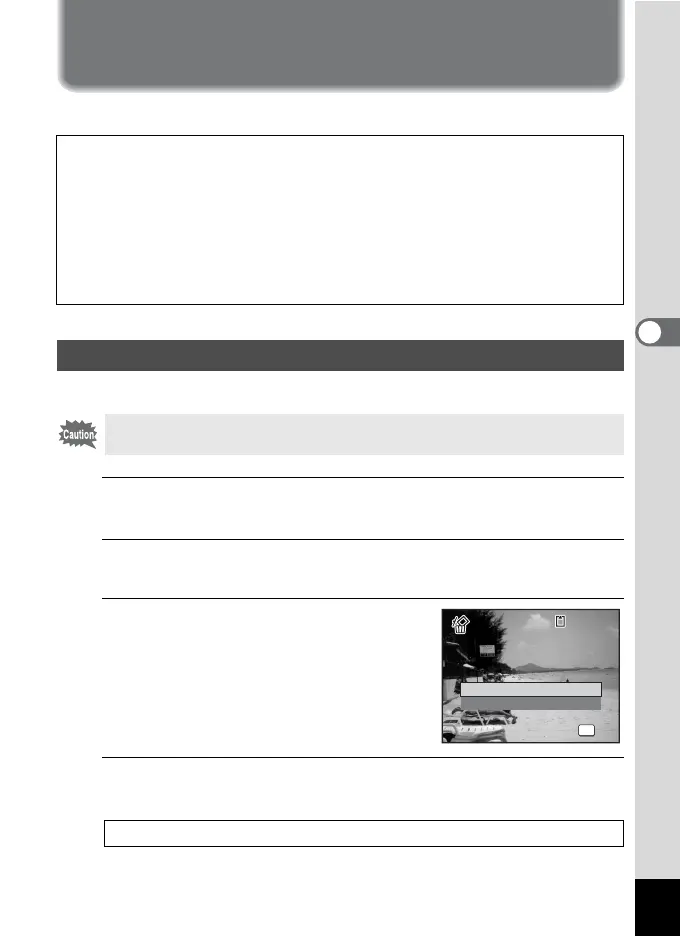
A confirmation screen appears.
3
Press the four-way controller (2)
to select [Delete].
4
Press the 4 button.
The image is deleted.
When images or sounds are inadvertently deleted
Deleted images and sounds can be recovered with the X90 (p.165).
Deleted images and sounds can be recovered even if the camera has been
turned off after deletion as long as the SD Memory Card has not been removed.
However, deleted images and sounds cannot be recovered after operations to
write data such as taking pictures, recording movies, protecting images, saving
DPOF settings, resizing images, cropping images, or formatting has been
performed.
Deleting a Single Image
Protected images cannot be deleted (p.166).
Recovering Deleted Images 1p.165
OK
OK
Delete
Cancel
100
-
0017
100
-
0017



 To Next Page