135
3
Taking Pictures
2
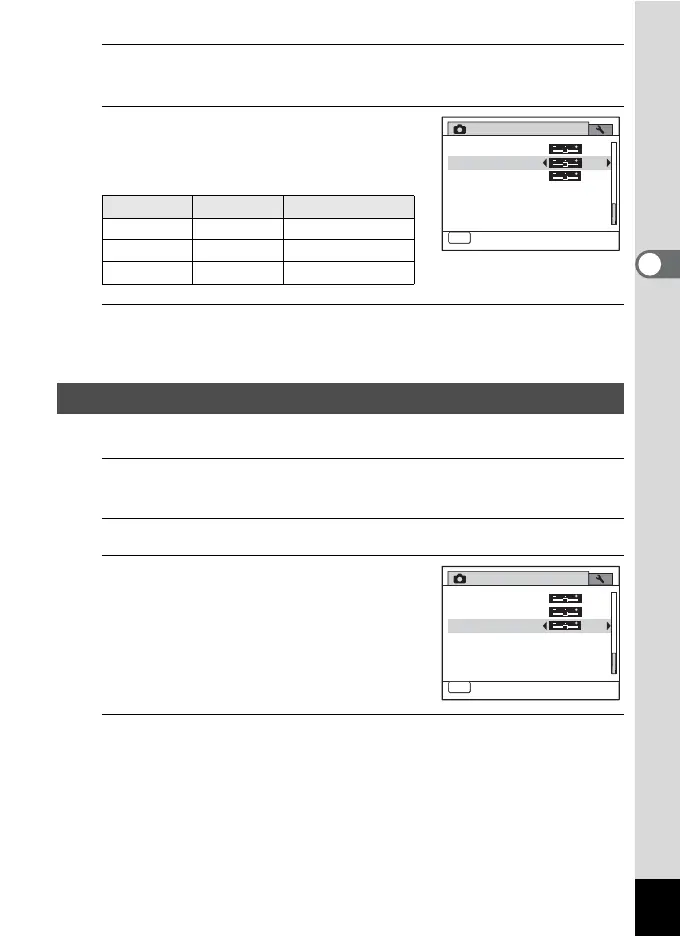
Use the four-way controller (23) to select [Saturation]
(or [Tone Adjustment]).
3
Use the four-way controller (45)
to select the level of saturation (or
the tone of monochrome images).
4
Press the 3 button.
The camera returns to capture status.
You can set the image contrast level.
1
Press the 3 button in A mode.
The [A Rec. Mode] menu appears.
2
Use the four-way controller (23) to select [Contrast].
3
Use the four-way controller (45)
to change the contrast level.
F Low
G Normal
H High
4
Press the 3 button.
The camera returns to capture status.
Saturation Tone Adjustment
F Low Blue
G Standard B&W
H High Sepia
Setting the Image Contrast (Contrast)
Rec. Mode
Contrast
Off
Exit
Saturation
Date Imprint
Sharpness
MENU
4/4
Rec. Mode
Contrast
Off
Exit
Saturation
Date Imprint
Sharpness
MENU
4/4



 To Next Page