80
3
Taking Pictures
1
Set the mode dial to H.
The camera enters the H mode last selected. The default setting is
H (Landscape).
2
Press the four-way controller (3).
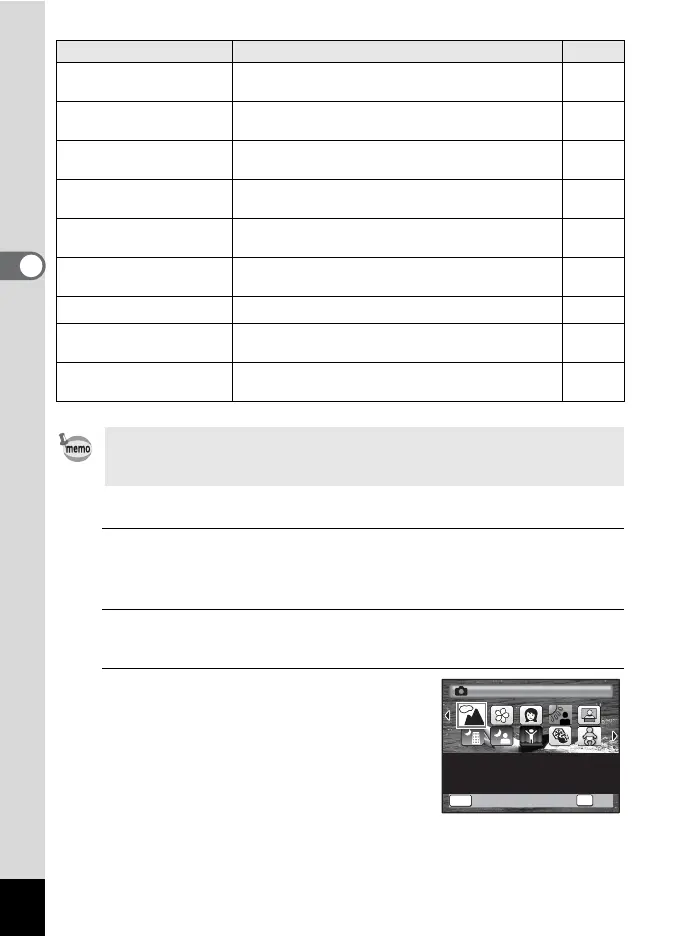
The Capture Mode Palette appears.
3
Use the four-way controller
(2345) to choose a shooting
mode.
When an icon is selected in the Capture
Mode Palette, the guide for the selected
shooting mode appears.
Y
Pet
For capturing moving pets. Select the color
according to the pet’s coat.
p.85
K
Food
For images of food and prepared dishes.
Enhances saturation and contrast.
—
S
Fireworks
For capturing fireworks. Use of a tripod or other
support is suggested.
p.82
N
Frame Composite
For capturing images with a frame. The number
of recorded pixels is fixed at h (2048×1536).
p.90
B
Party
For capturing images at parties or in dim light.
Increases ISO and clarity.
p.88
E
Museum
For capturing images in places where a flash is
prohibited.
—
K
Sunset For images of sunsets and warm lighting. —
X
Digital Wide
Stitches two pictures together to create a wider
image.
p.98
F
Digital Panorama
Stitches images taken with the camera to create
a panoramic photograph.
p.100
Some functions may not be available or may not work fully depending on
the selected shooting mode. For details, refer to “Functions Available for
Each Shooting Mode” (p.238).
Shooting Modes Description Page
OK
OK
MENU
Cance
l
OK
Cancel
For capturing landscape
views. Enhances colors
of sky and foliage
Landscape
1/2



 To Next Page