12-6
12 • Maintenance
SV62261 Rev. C
Printer Maintenance
The system has several replacement procedures and tests that let
you replace the ink tank cartridge and/or print head, check print per-
formance and help you determine printing problems.
These tests and procedures are accessible by pressing Menu,
pressing the down arrow key, and selecting "Maintenance", then
"Printer Maintenance".
Printing a Test Pattern
The test print allows you to print a test pattern to see if the print head
is functioning properly.
1. Press Menu.
2. If necessary, press the green down arrow key to scroll through
the menu screens.
3. Select "Maintenance".
4. Select "Printer Maintenance".
5. Select "Print Test Pattern".
6. Follow the prompts to print the test pattern on an envelope or
tape strip.
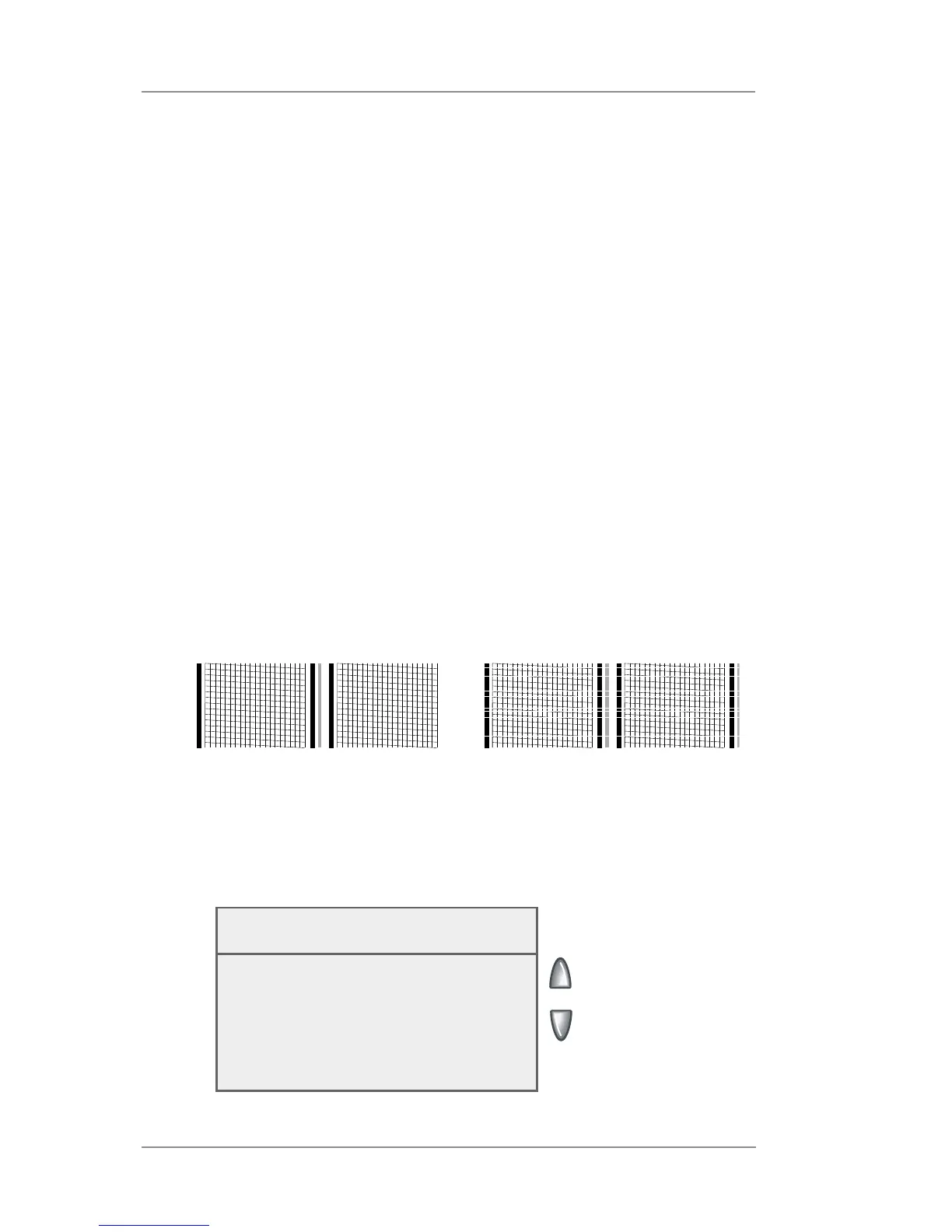
7. You are asked if the test pattern is OK.
• If yes, select "Yes". You return to the Home screen.
• If no, select "No, Clean Nozzle" and the system executes
a purge (this may take a few moments). When the purge is
complete, the "Cleaning Complete" screen displays. Select
"Print Test Pattern" and repeat steps 6 and 7 above.
Good Test Print (No Missing Lines)
Poor Test Print (Missing Lines)
Cleaning Complete
◄ Print Test Pattern
◄ Select Another
◄ Done
8. When finished, select "Done" to return to the Printer Mainte-
nance menu.














 To Next Page