12-3
12 • Maintenance
SV62261 Rev. C
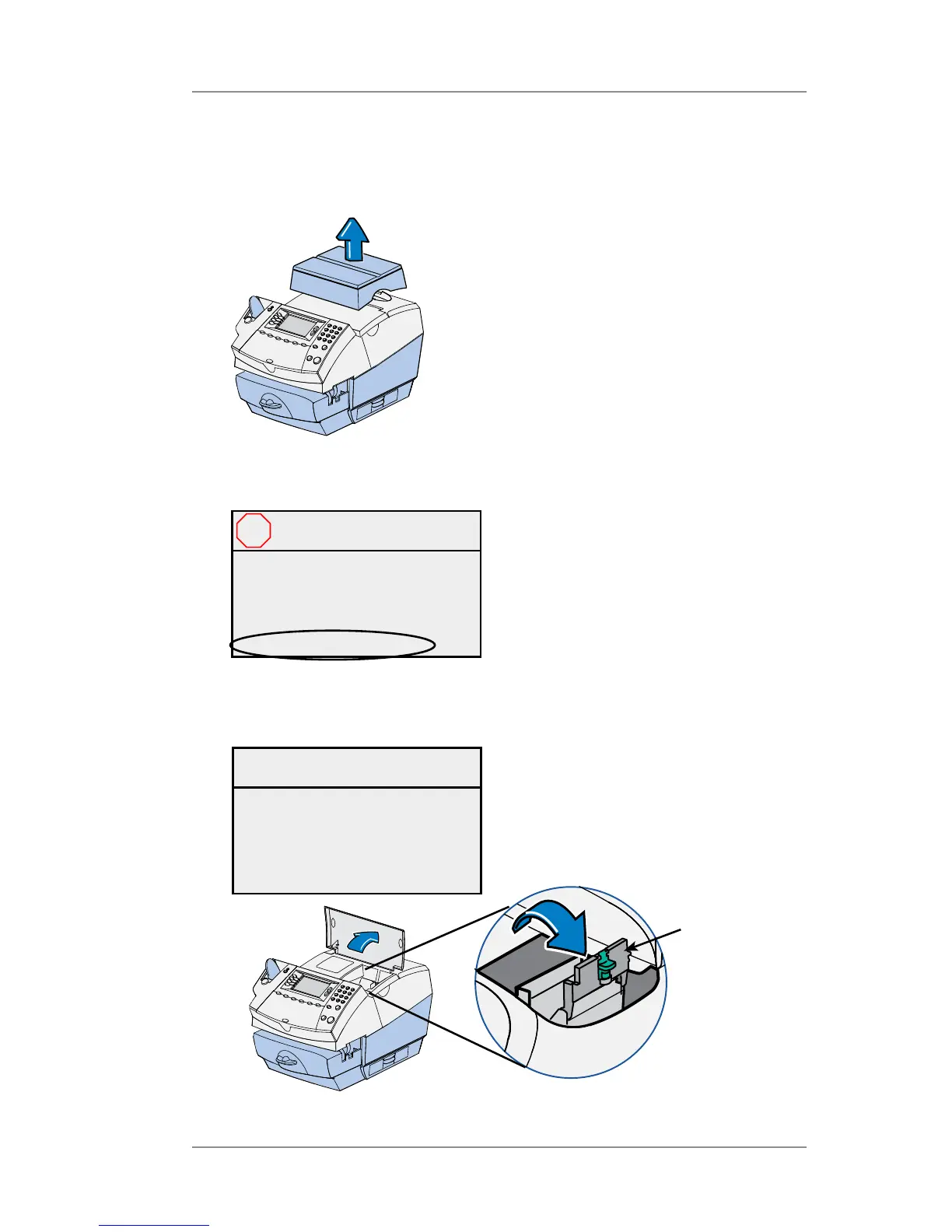
2. Open the ink access cover. At the screen with the red X, select
"Replace Ink Tank". A "Moving Ink Tank" message displays.
Ink Tank
Cartridge
Guard
3. At the "Install Ink Tank/ Print Head" screen, unlock the ink tank car-
tridge guard.
Install now
Close cover when done.
Install Ink Tank /
Print Head
Replacing the Ink Tank Cartridge
1. If you have an optional scale, simply lift it up and remove it from
the top of the machine.
Close cover to continue
Or select:
◄ Replace Print Head
◄ Replace Ink Tank
Ink Tank Access
Cover Open
X














 To Next Page