12-8
12 • Maintenance
SV62261 Rev. C
3. Remove the ink tank cartridge. Refer to steps 3 and 4 in Replac-
ing the Ink Tank Cartridge in this chapter for more information.
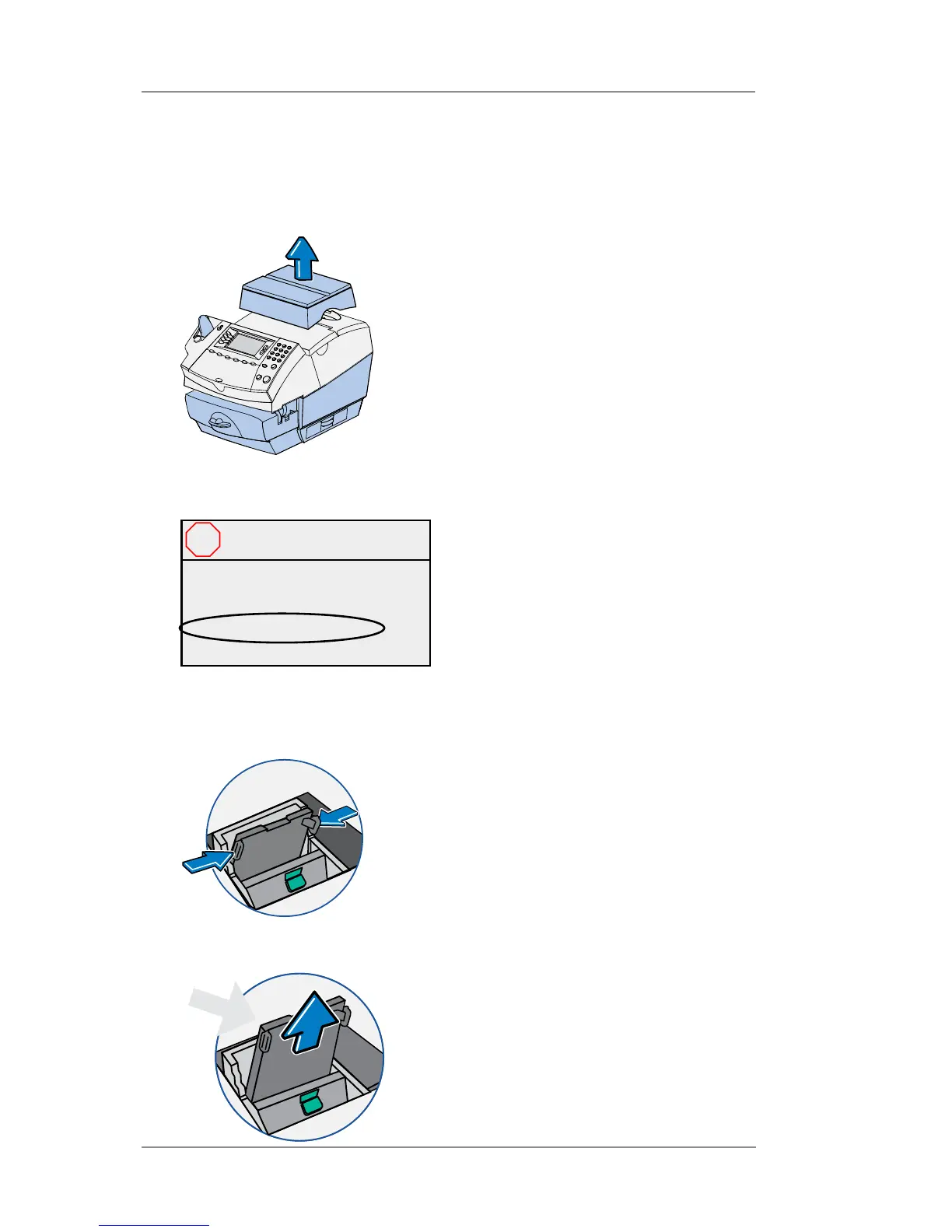
4. Squeeze the two gray tabs on either side of the print head.
5. While squeezing, lift and tilt the print head to the right. The print
head should come up out of the machine.
Printer Maintenance (cont'd)
Replacing the Print Head
2. Open the ink access cover. At the screen with the red X, select
"Replace Print Head". A "Moving Ink Tank" message displays.
1. If you have an optional scale, simply lift it up and remove it from
the top of the machine.
Close cover to continue
Or select:
◄ Replace Print Head
◄ Replace Ink Tank
Ink Tank Access
Cover Open
X














 To Next Page