2-11
2 • Getting to Know Your System
SV62261 Rev. C
Item Part Description
1
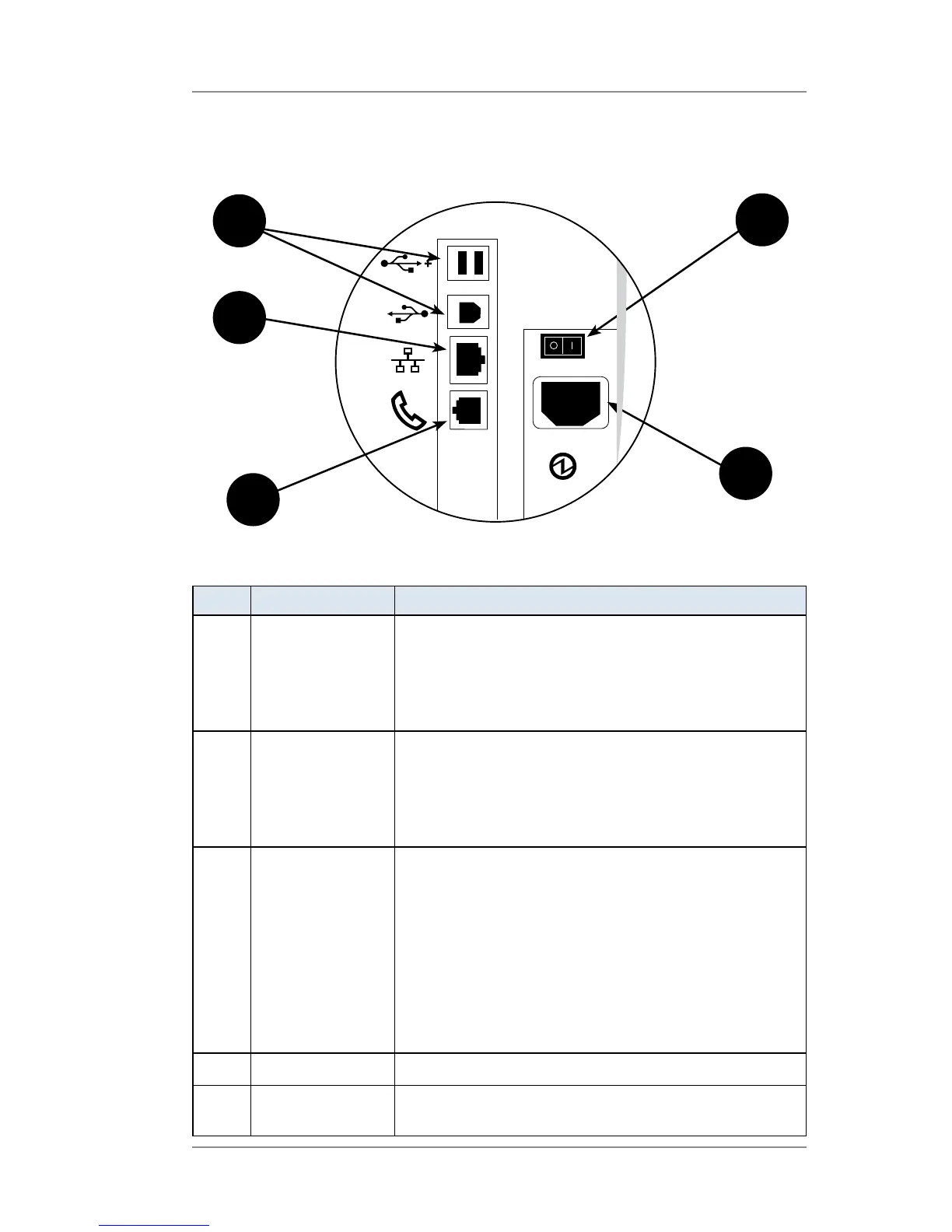
Phone Jack Allows you to connect to an analog phone line
via a standard RJ-11 phone plug (the same as a
Fax machine) and connect to the Pitney Bowes
Data Center to download postage and software
updates (see also Chapter 6, Adding Postage).
2
LAN Port Allows you to connect your system to the
Pitney Bowes Data Center via a LAN network
that has Internet access (known as "Constant
Connection"). See Chapter 6, Adding Postage for
more information.
3
USB Ports Allows you to connect:
• an external printer to print report data
• an external weighing platform (scale)
• your system to the Pitney Bowes Data Center
via the Internet using a USB cable connected
to a Windows PC that has Internet access
(known as PC Meter Connect™). See Chapter
6, Adding Postage for more information.
4
Power Switch Turns power ON or OFF to machine
5
Power
Receptacle
Connects to AC power cord (supplied)
Connections on Back of Machine - DM475
3 4
1
5
2














 To Next Page