13-13
13 • Troubleshooting
SV62261 Rev. C
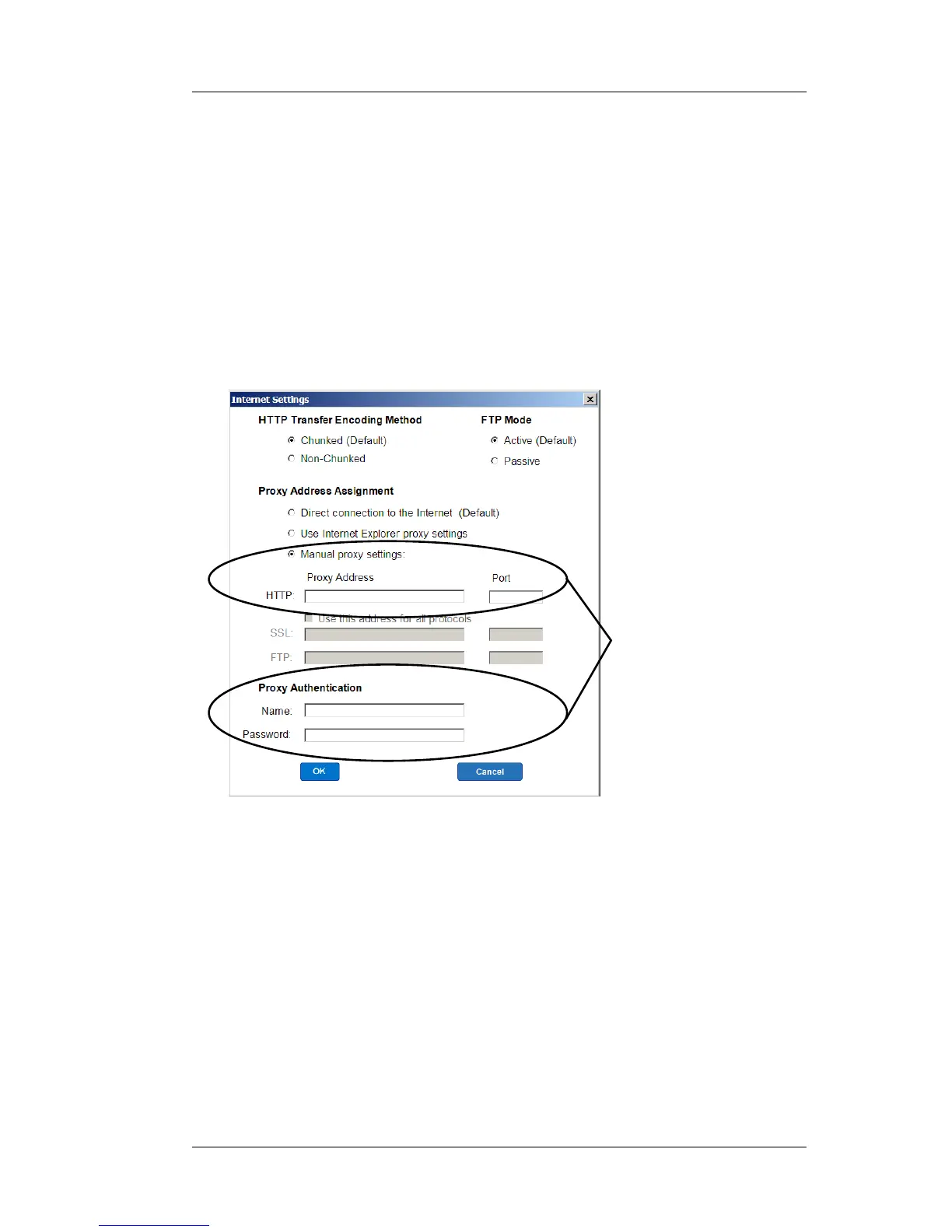
Solution B - Enter your own network's Proxy Address and Au-
thentication settings (if used). Contact your IT administrator for
these settings. Click "Manual proxy settings", and enter the proxy
settings and proxy authentication (if used) provided by your IT
administrator (see screen below). Click OK.
Use "Manual proxy
settings" (and "Proxy
Authentication", if
used)
Problems Connecting to the Data Center via PC Meter
Connect™ (cont'd)
You can access www.pb.com using Internet Explorer but PC
Meter Connect
™
software cannot detect the internet (continued)
Internet Settings Screen in PC Meter Connect
™
Software


 To Next Page
 Loading...











