ST Series User’s Manual
5-2
5.1 Entering OFFLINE Mode
To initialize your ST or perform self-diagnosis, you must first switch the ST to OFFLINE mode. There are
two ways to enter OFFLINE mode. First, is immediately after plugging in the ST's power cord, and second, by
using the Forced Reset feature.
It is necessary to shift to an offline mode for initialization with ST, and the self-diagnosis, etc. It is possible to
enter an offline mode by the following two methods.
5.1.1 After Plugging in the Power Cord
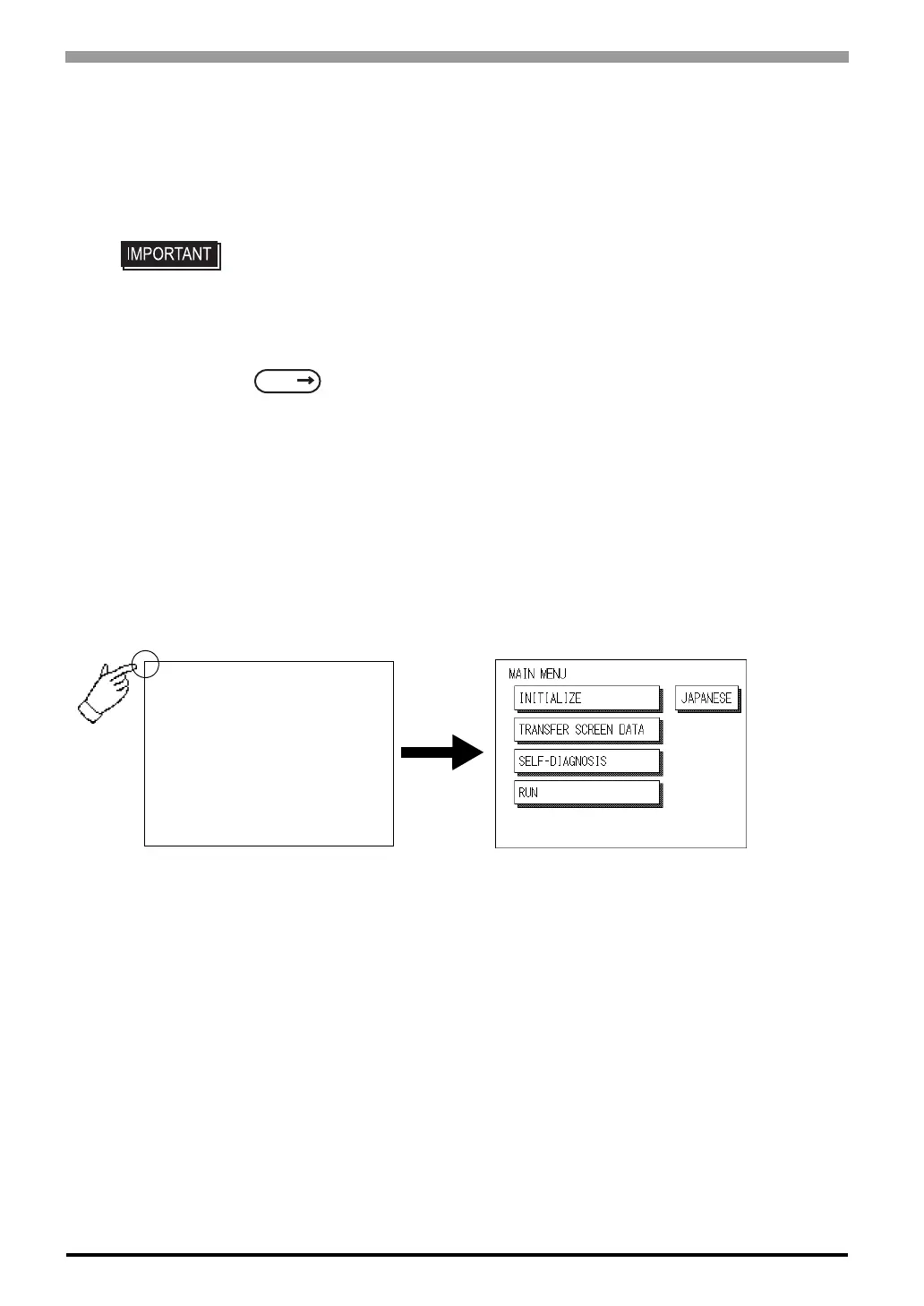
Touch the upper left-hand corner of the ST screen within 10 seconds of plugging in the ST's power cord and
the ST will change to OFFLINE mode.
• If the system is not forwarded from the screen editor software to ST when ST is
used for the first time after it buys it, it does not put it in an offline mode (initializa-
tion).
For more information about DATA TRANSFER
4 Data Transfer (Page 4-1) or GP-PRO/PBIII for Windows Device/PLC
Connection with the screen editor software).
SEE



 To Next Page