ST Series User’s Manual
6-24
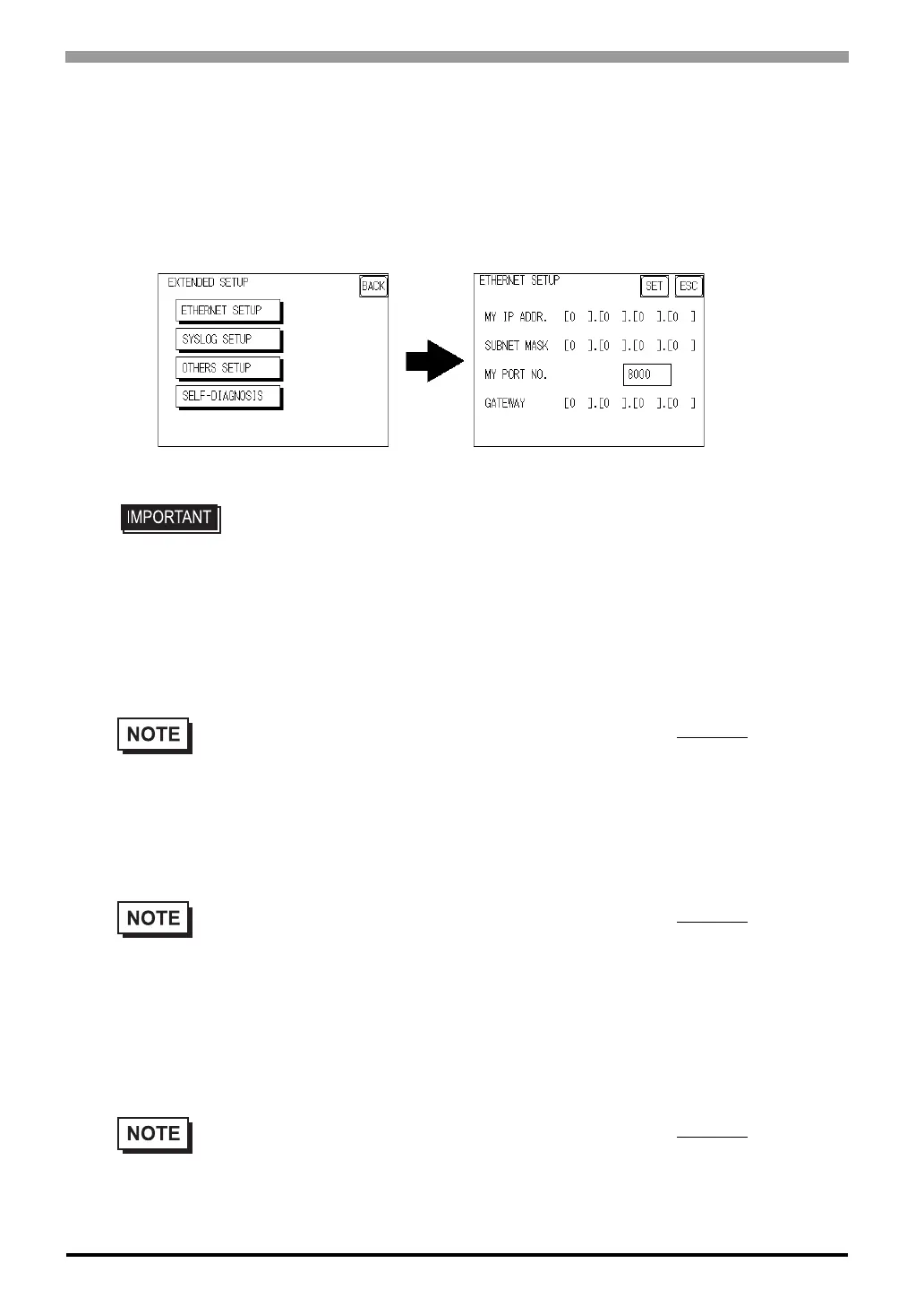
6.5.4 Ethernet Setup
This menu is for Ethernet settings. This information is used as setting data during ST setup or screen transfer,
or, if the Pro-Server software is used, for the 2-Way Driver.
(Only ST403 unit.)
MY IP ADDRESS
Sets up the ST’s IP address. The IP address is 32 bits and designated in four 8-bit units, entered in decimal.
SUBNET MASK
Sets the subnet mask. If you are not using a subnet mask, designate “0”.
MY PORT NO.
Sets the 2-Way Driver Port No. using a value from 1025 to 65526. Starting from the value entered here, a total
of 10 consecutive ports can be used. The default setting is [8000].
• Enter the “ETHERNET SETUP” settings after receiving information from your
network's system administrator.
• Be sure to enter a unique IP address, not one used for other STs or by the host.
• To use Ethernet networking, click on [Initial Settings], [PLC Setup], [PLC Setup] and [Ethernet
Setup].
• To use Ethernet networking, click on [Initial Settings], [PLC Setup], [PLC Setup] and [Ethernet
Setup].
• To use Ethernet networking, click on [Initial Settings], [PLC Setup], [PLC Setup] and [Ethernet
Setup] and select the corresponding Ethernet protocol Port No.



 To Next Page