Chapter 6 Initializing the ST
6-7
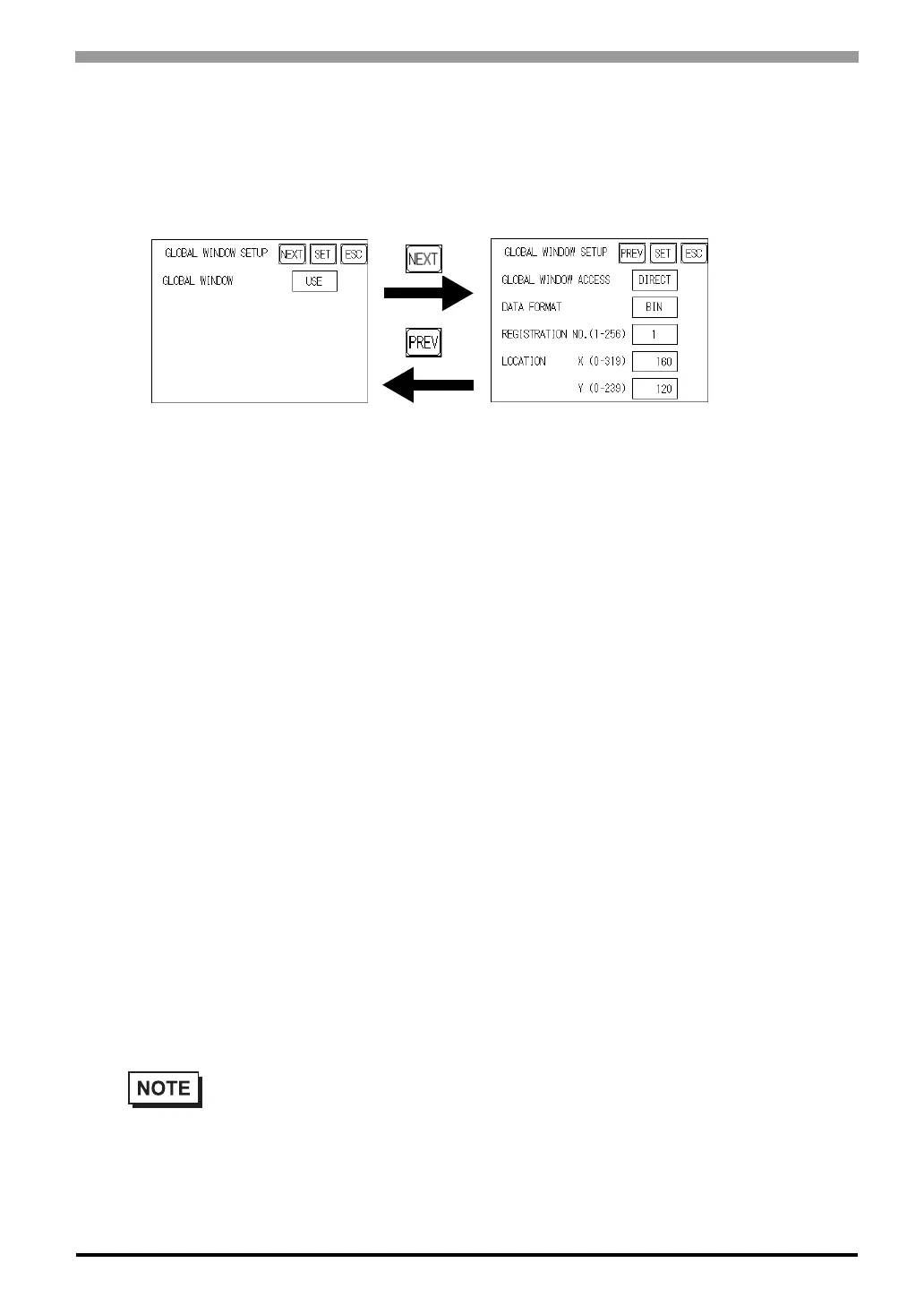
6.3.3 Global Window Setup
The ST unit can display three screens at any one time, one Global Window and two Local
Windows. The Global Window is common to all the display screens. The Local Window displays exclusively
on the corresponding base screen. The GLOBAL WINDOW SETUP is described here.
GLOBAL WINDOW
There are two options here: Use and Do Not Use. If you select Do Not Use, ignore the items described below.
Selecting Use enables these options.
GLOBAL WINDOW ACCESS
Use this feature to designate whether a value used is DIRECT or INDIRECT, i.e. the REGISTRATION NO.
and the LOCATION values.
When set as Direct, the REGISTRATION NO. and LOCATION selections are fixed to the values entered
here. When set to Indirect, the WINDOW REG. NO.'s word address, as prepared in the System Area, is a
variable. This means it can have the REGISTRATION NO. written to it and, as a result, multiple window
screens can be used as Global windows. You can use this method to adjust the Global window position by
writing the X,Y coordinates to the SYSTEM AREA's LOCATION word addresses.
DATA FORMAT
Setup whether the REGISTRATION NO. and the LOCATION values are BIN or BCD values. This field is
related only to indirect values.
REGISTRATION NO. (1-256)
Enter the Window Screen Number used by the Global Window. This field is enabled only when GLOBAL
WINDOW ACCESS is set to direct.
• The screen editor software allows you to set a window number from 1 to 2000. If you wish to
use a number that is 257 or higher, be sure to use the screen editor software to enter this value.



 To Next Page