Chapter 7 RUN Mode and Errors
7-11
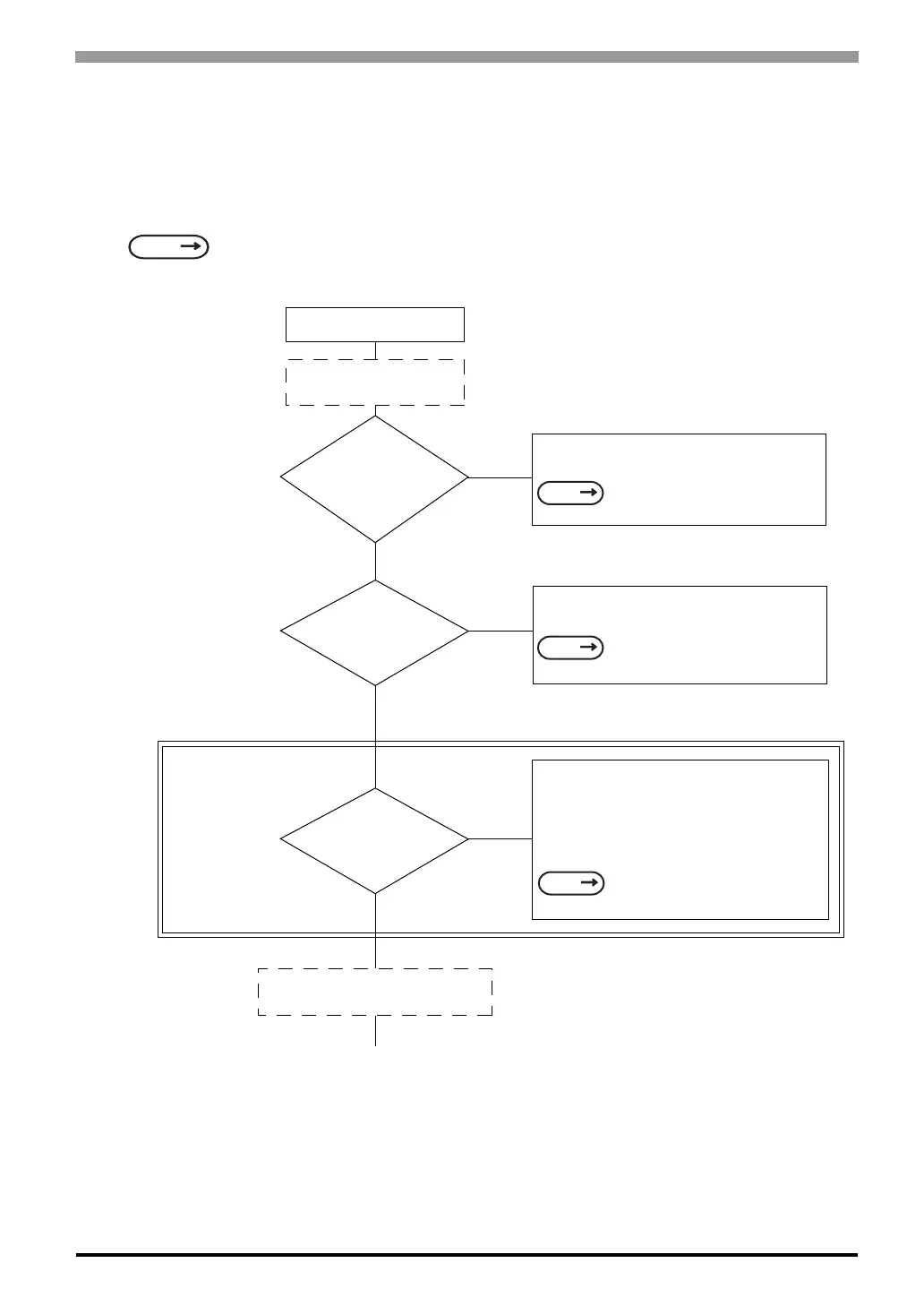
7.3.3 No ST/Host Communication
When the ST will not communicate with the host PLC, follow the flowchart below to find both the cause of
the problem and a suitable response.
Or, if an error message displays on the screen, check the error code to find the appropriate solution.
SEE
7.4 Error Messages (Page 7-15)
Does not communicate
YES
YES
NO
NO
NO
Unplug the ST’s power
cord
Has the correct PLC
protocol (Table file)
been selected?
Setup the protocol that corresponds with
the connected PLC.
Is the SIO cable
attached properly
to this unit?
Attach the SIO cable unit properly,
making sure all connections are secure.
Is the Termination
Resistor correctly
installed?
Install the Termination Resistor in the
correct position with the correct values.
Resistor position and values change with
each PLC type. When using the Direct
Access format,
Disconnect all the cables except the
power cable and turn the unit ON.
For RS-422, use the solutions provided
in the dotted rectangle, above.
Device/PLC Connection Manual
(included with the screen creation software)
SEE
Device/PLC Connection Manual
(included with the screen creation software)
SEE
Device/PLC Connection Manual
(included with the screen creation software)
SEE



 To Next Page