Chapter 5 OFFLINE Mode
5-5
5.3 Initialization
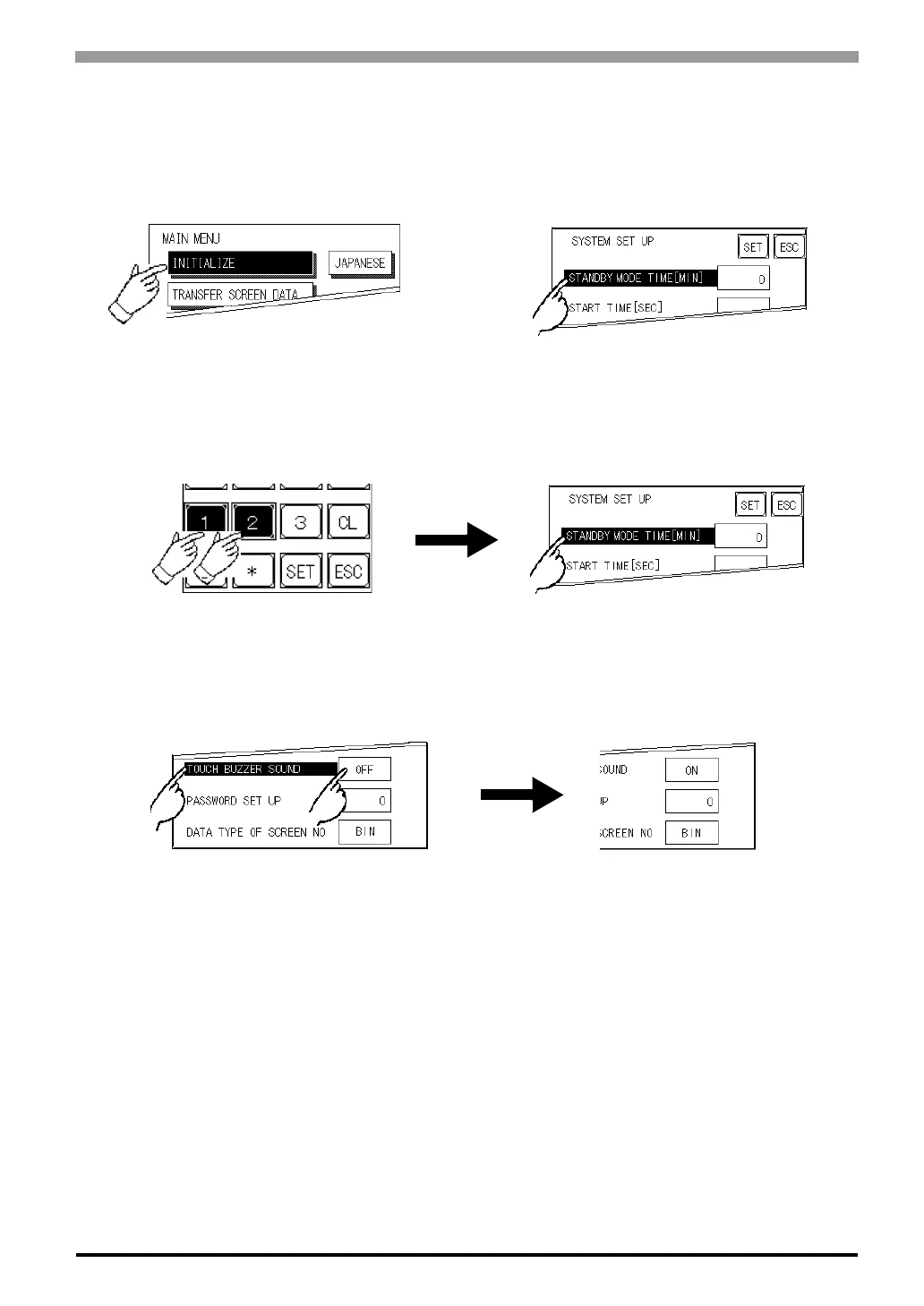
Selecting A Menu
Touch the menu item, or input field to select it.
Entering Numbers
After selecting an input field by touching it, use the numeric touch keys located at the bottom of the screen to
enter numeric values. After inputting each value, touch the [SET] key to define the value.
Selecting Setup Conditions
After selecting a menu item and entering that area, touch the option you would like to setup. The selected
item becomes highlighted. In this example, the TOUCH BUZZER SOUND has been set Off.



 To Next Page