Chapter 6 Initializing the ST
6-3
6.2 Initialization Items
This chapter explains the contents of the Initialize setup items listed below. For information about screen
operations and numeric input.
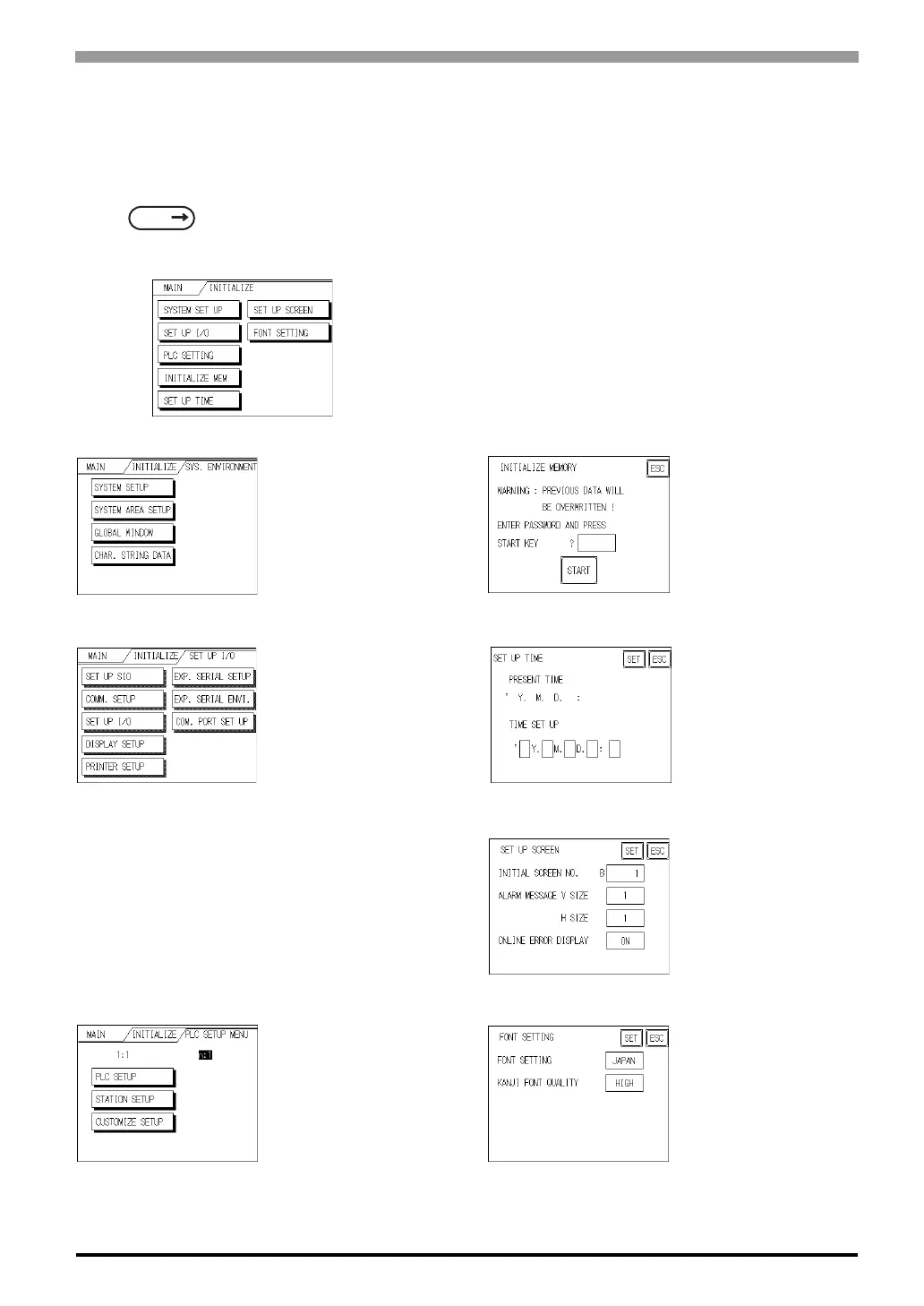
The INITIALIZE menu includes the following items.
*1 Note that, depending on the Device/PLC type selected, the screens that appear in your screen editor soft-
ware will vary.
SEE
5 OFFLINE Mode (Page 5-1)
SYSTEM ENVIRONMENT
SETUP
SYSTEM SETUP
System Area SETUP
Global Window
CHAR. STRING DATA
INITIALIZE MEMORY
INITIALIZE MEMORY
SET UP I/O
SET UP SIO
COMM. SETUP
Set Up I/O
DISPLAY SETUP
PRINTER SETUP
EXP. SERIAL SETUP
EXP. SERIAL ENVI.
COM. PORT SET UP
SETUP TIME
SETUP SCREEN
FONT SETTING
PLC SETUP MENU
*1
1:1/n:1
PLC SETUP
STATION SETUP
CUSTOMIZE SETUP



 To Next Page