Chapter 6 Initializing the ST
6-17
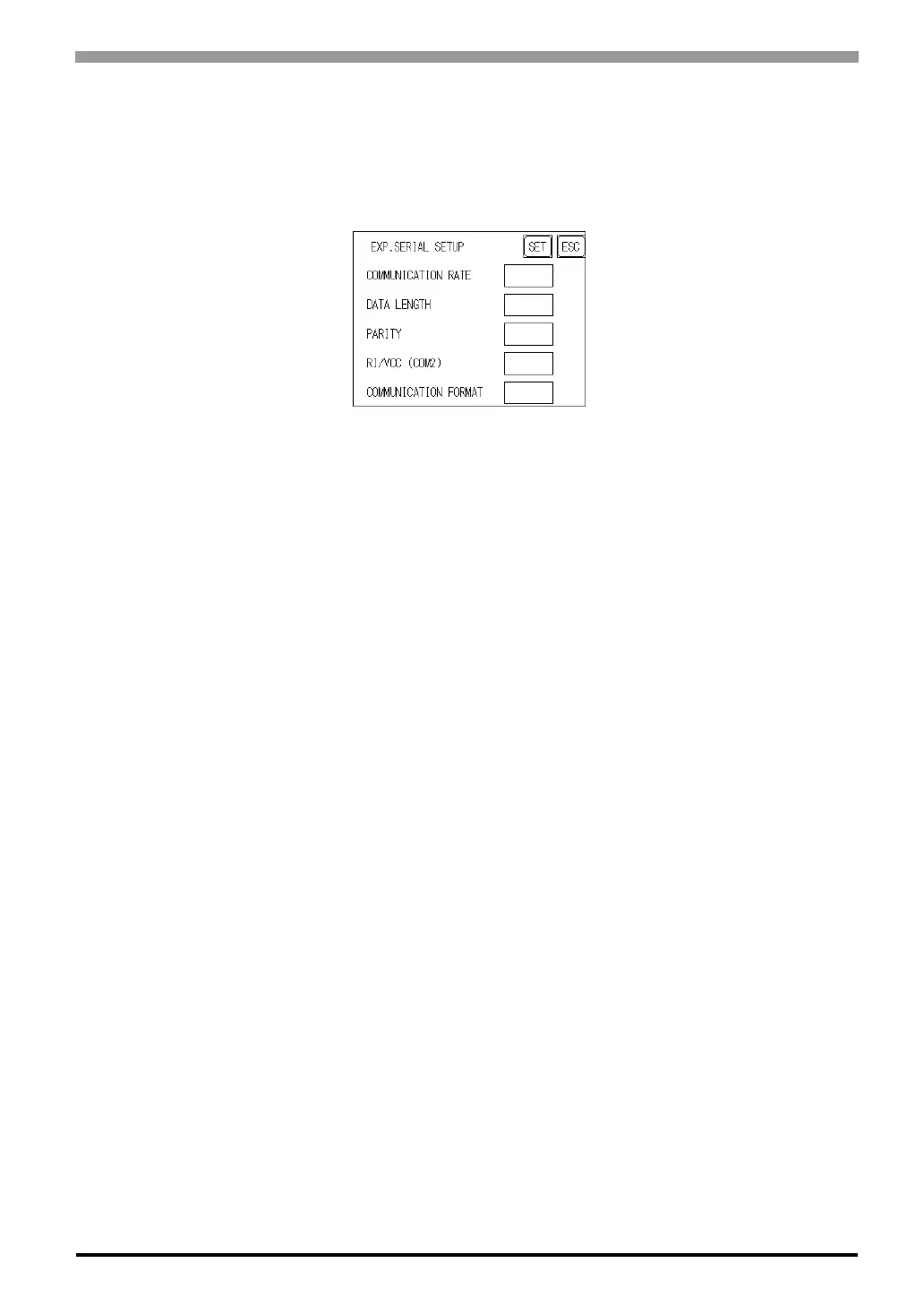
6.4.6 Expansion Serial Setup
The following explains the setup for communicating with a device connected to the Expansion Serial Inter-
face. This setup screen will not display unless the communication protocol for the Expansion Serial Interface
(specified with “SET UP EXPANSION SIO" of the screen editor software) is transferred to the ST.
COMMUNICATION RATE
The COMMUNICATION RATE refers to the data communication speed, measured in bits per second (bps),
between the ST and the device connected to the Expansion Serial Interface.
The supported communication rates vary depending on the connected device. Refer to the instruction manual
of the connected device for more information. The initial setting varies depending on the communication pro-
tocol for the Expansion Serial Interface being transferred.
DATA LENGTH
Set the DATA LENGTH to 7-bit or 8-bit data, and set up also the STOP BIT as either a 1-bit or 2-bit value.
PARITY
Set the parity to no parity (OFF), to ODD or to EVEN parity check.
RI/VCC (COM2)
This setting is fixed at RI and cannot be changed.
COMMUNICATION FORMAT
Set the communication format. When using ST402 unit, select either RS-422 (4 line) or RS-422 (2 line).



 To Next Page