Chapter 6 Initializing the ST
6-19
6.5 PLC Setup
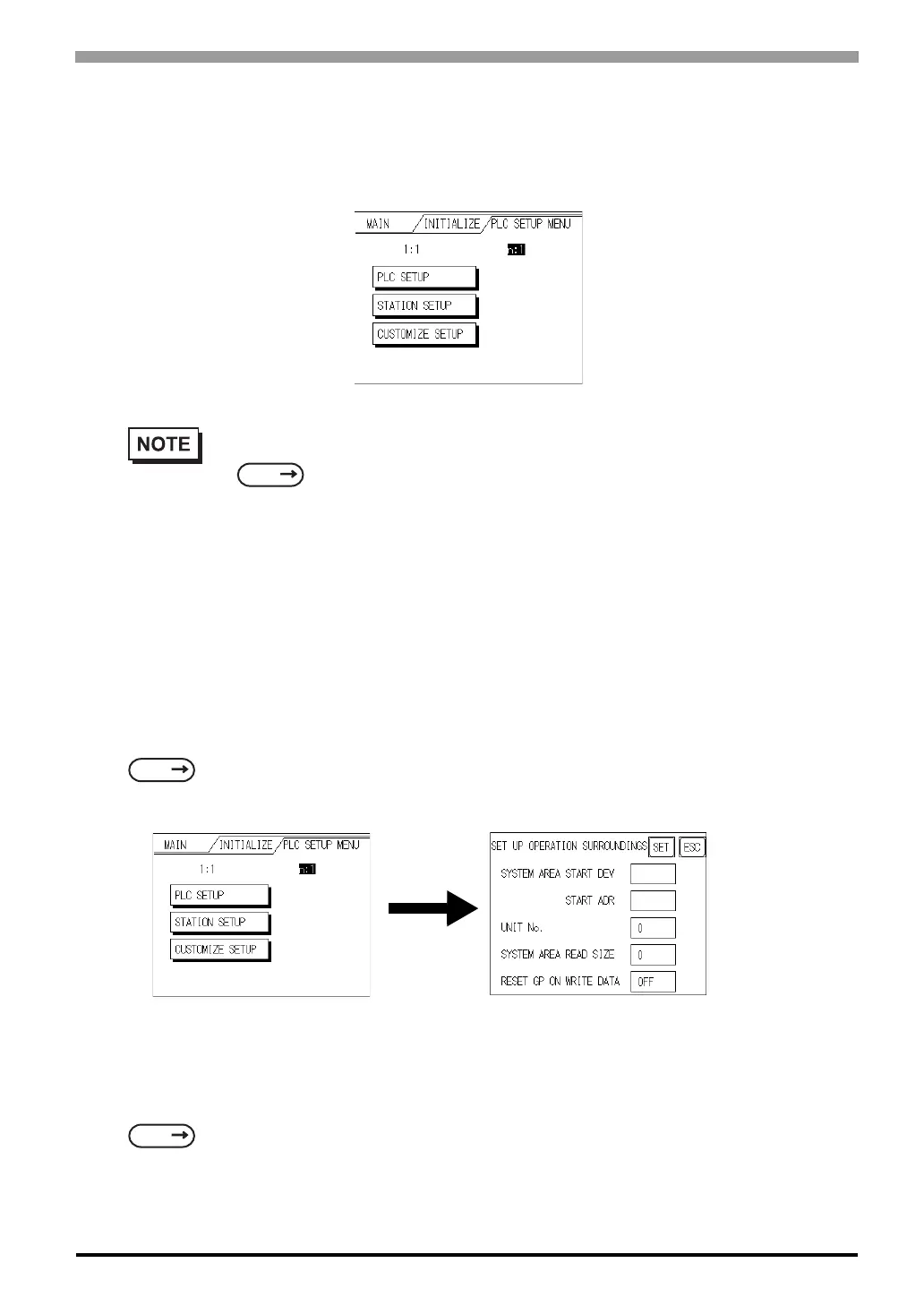
Set up the ST System Area and the Unit number in this screen. Because 1:1 and n:1 ST connections utilize
different settings, confirm your connection's needs before using any settings.
6.5.1 SET UP OPERATION SURROUNDINGS (1:1/n:1)
Enter the PLC System Data Area and the Unit Number settings here. The same options are available for both
1:1 and n:1 (Multi-link) connections.
For an n:1 (Multi-link) Connection, System Data Area settings must be setup for each ST
connected to the PLC.
SYSTEM AREA START DEV/START ADR
Setup the System Data Area's Start Address. Device addresses that can be allocated will differ depending on
the type of PLC used.
• The screens that appear will depend on the PLC type you selected in the screen editor software.
• When the GP-PRO/PBIII for Windows Ver 3.0 "Simulation" feature is used, the SET UP OPER-
ATION SURROUNDINGS menu cannot be used.
SEE
GP-PRO/PBIII for Windows PLC Connection Manual (included with the screen editor software)
SEE
GP-PRO/PBIII for Windows Device/PLC Connection Manual (included with the screen editor
software)
SEE
GP-PRO/PBIII for Windows Device/PLC Connection Manual (included with the
screen editor software)



 To Next Page