Chapter 6 Initializing the ST
6-25
GATEWAY
Sets up the gateway’s IP address. Only a single gateway can be set up. If you are not using a gateway, enter
“0”.
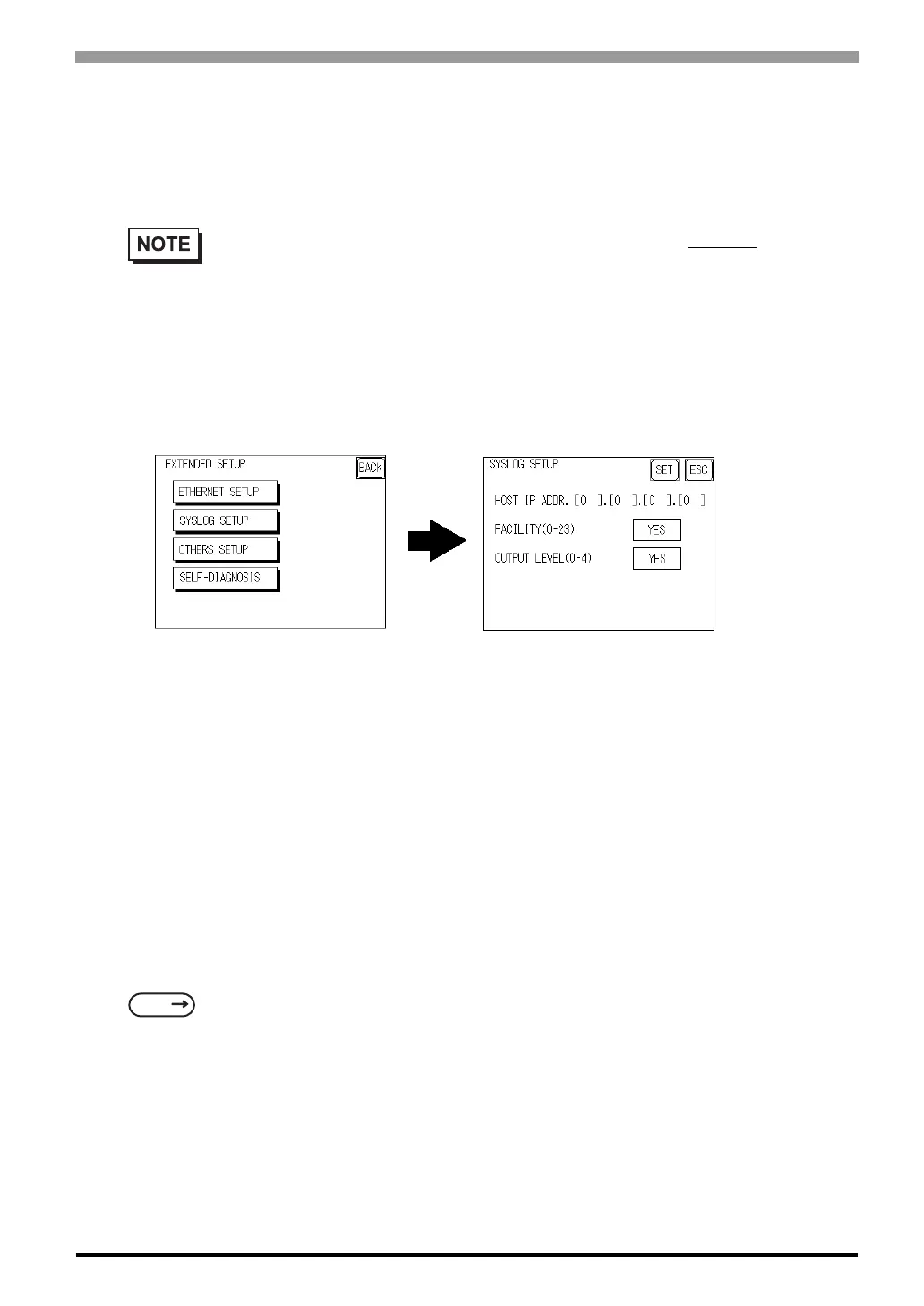
6.5.5 SYSLOG Setup
These settings are used for outputting 2-Way driver’s operation logs. Therefore, if you are not using the Pro-
Server software, these settings are not necessary. (Only ST unit.)
HOST IP ADDRESS
Sets up the IP address of the host computer, where the 2-Way driver’s operation logs will be output.
FACILITY (0-23)
Sets up the facility.
OUTPUT LEVEL (0-4)
Sets up the output level.
For details about Pro-Server and SYSLOG,
• To use Ethernet networking, click on [Initial Settings], [PLC Setup], [PLC Setup] and [Ethernet
Setup].
SEE
Pro-Server with Pro-Studio for Windows Operation Manual (included in the Pro-Server with Pro-
Studio for Windows software package)



 To Next Page