ST Series User’s Manual
5-4
5.2 OFFLINE Mode Main Menu
Each menu item shown below has different settings that must be set to match the corresponding PLC in order
for the ST to communicate properly.
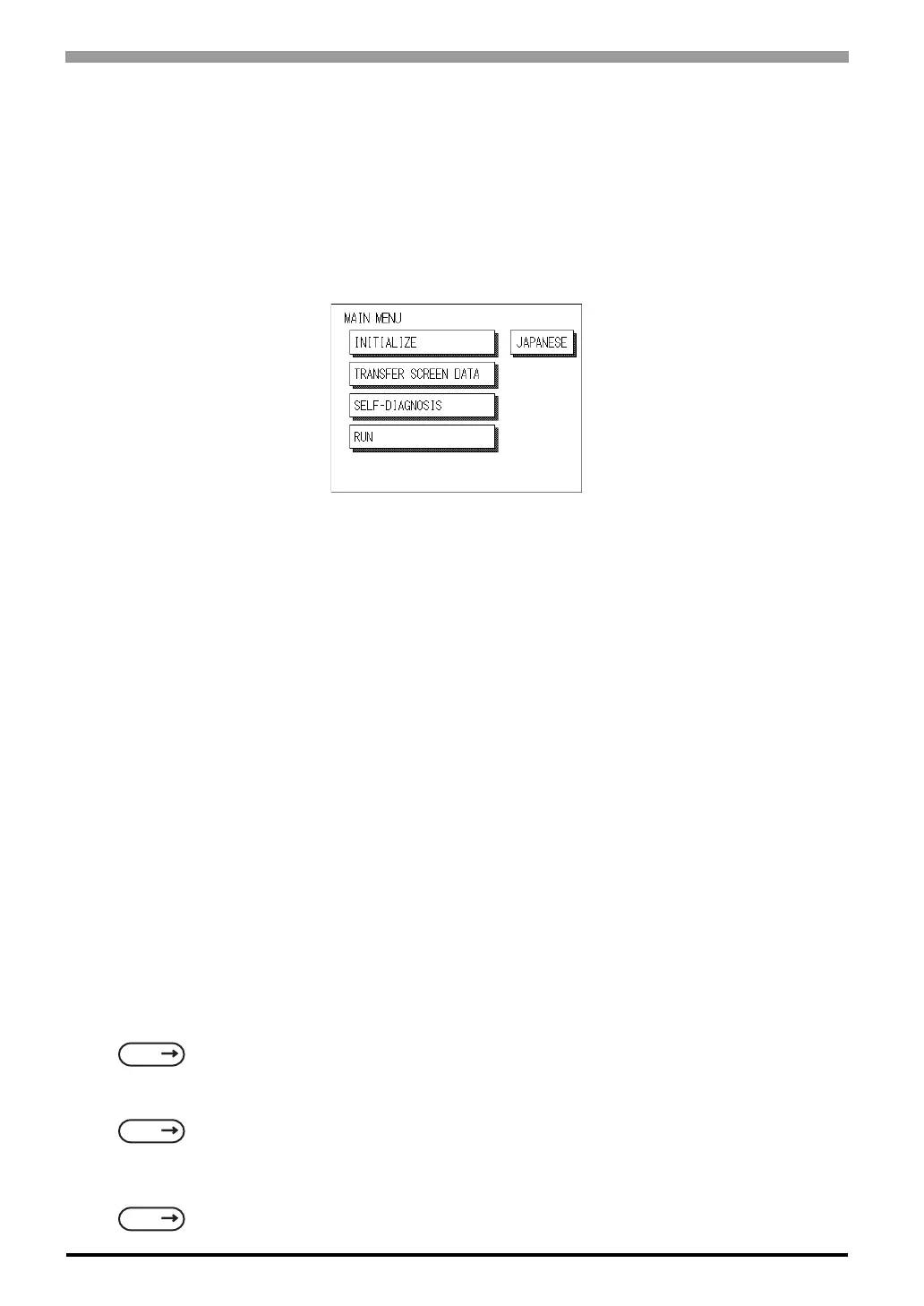
Entering OFFLINE mode calls up the following screen.
Select the desired menu item by touching the corresponding screen item bar.
Each Main Menu item is used as follows.
INITIALIZE
The setup items contained in this menu are used to control the ST unit.
SCREEN DATA TRANSFER
Select to transfer screen data to and from the screen editor software.
SELF-DIAGNOSIS
Checks to see if there are any problems with the ST System or Interface (I/F).
RUN
Starts ST operation.
LANGUAGE CHANGEOVER FUNCTION
When in Japanese display mode, touch the [ENGLISH] button to change to the English display. Similarly, in
English display mode, touch the [JAPANESE] button to change to the Japanese display. Default display mode
is English.
For more information about INITIALIZE
For more information about TRANSFER SCREEN DATA
For more information about SELF-DIAGNOSIS and RUN
SEE
6 Initializing the ST (Page 6-1)
SEE
4 Data Transfer (Page 4-1) or GP-PRO/PBIII for Windows Operation Manual (included with the
screen editor software)
SEE
7 RUN Mode and Errors (Page 7-1)



 To Next Page