Chapter 3 Installation and Wiring
3-5
Installing the ST
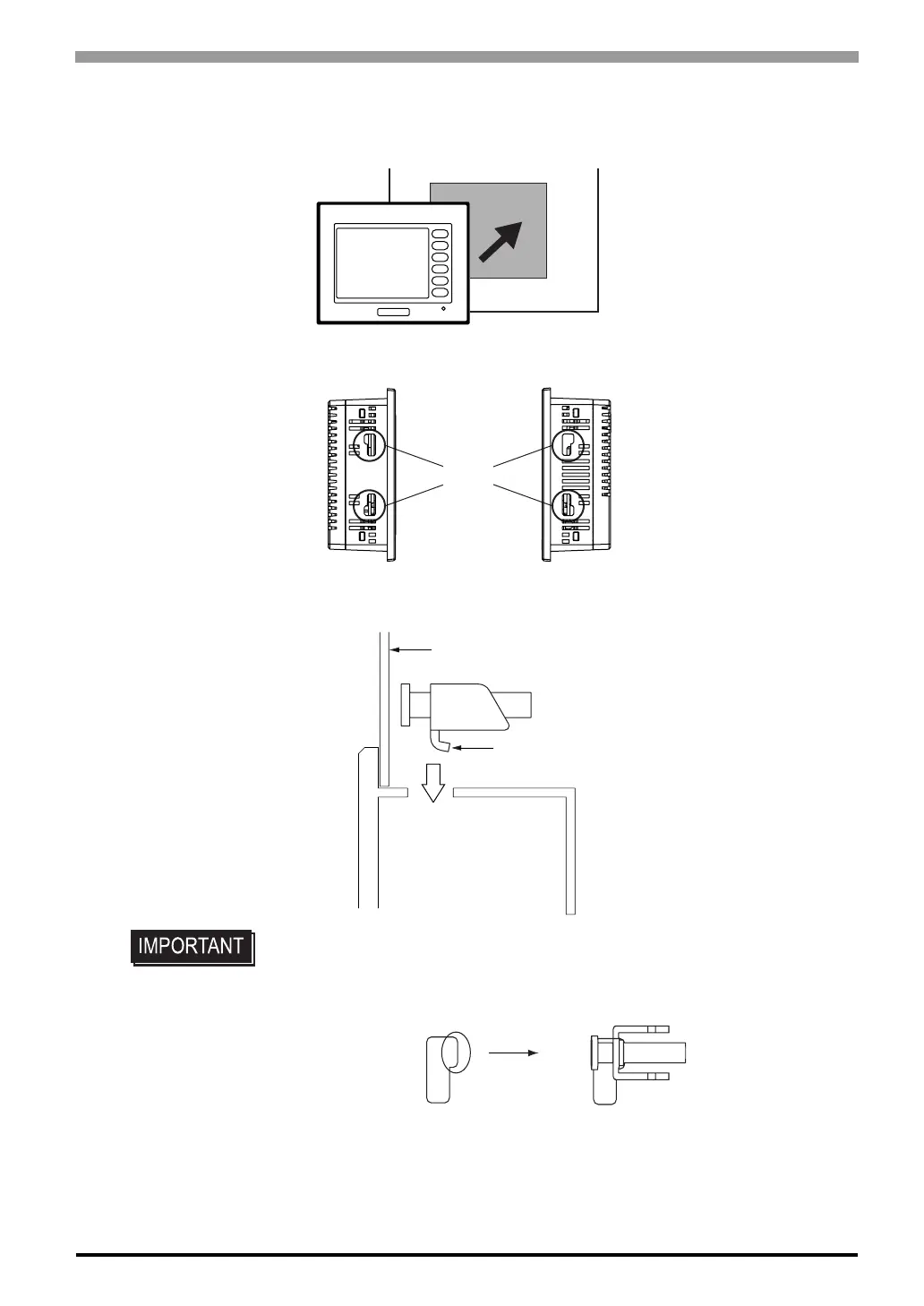
(1) Insert the ST into the panel cut out, as shown here.
(2) Insert the installation fasteners into the ST’s insertion slots, on the right and left side of the unit.
• Be sure to insert installation fasteners in the recessed portion of a installation fas-
teners hole. (Refer to the following figure) If the fasteners are not correctly
attached, the ST unit may shift or fall out of the panel.
ST
F1
F2
F3
F4
F5
F6
Slot
Installation panel
Hook



 To Next Page