PLX32-EIP-MBTCP-UA ♦ Multi-Protocol Gateway EIP Protocol
User Manual
ProSoft Technology, Inc. Page 49 of 156
March 8, 2018
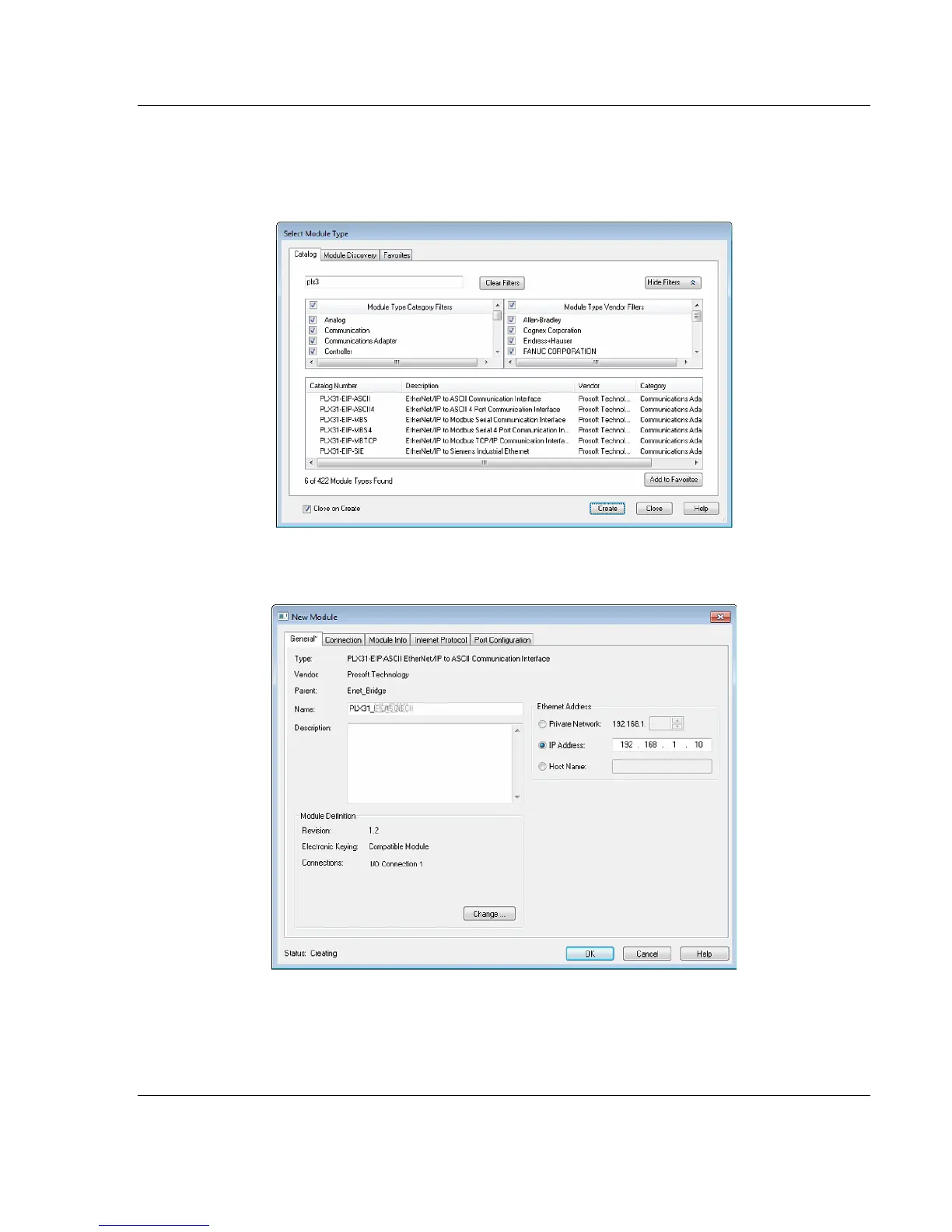
5 In the Select Module Type dialog box, in the Enter search text box, type
PLX3.
6 Click your PLX32-EIP-MBTCP-UA, and then click CREATE. This opens the
New Module dialog box.
7 In the New Module dialog box, enter a name for the gateway, then enter the
IP address of the PLX32-EIP-MBTCP-UA.
8 To add I/O connections click CHANGE.



 To Next Page