PLX32-EIP-MBTCP-UA ♦ Multi-Protocol Gateway EIP Protocol
User Manual
ProSoft Technology, Inc. Page 53 of 156
March 8, 2018
Class 3 Client[x]/UClient
To configure Class 3 Client/UClient [x] connections
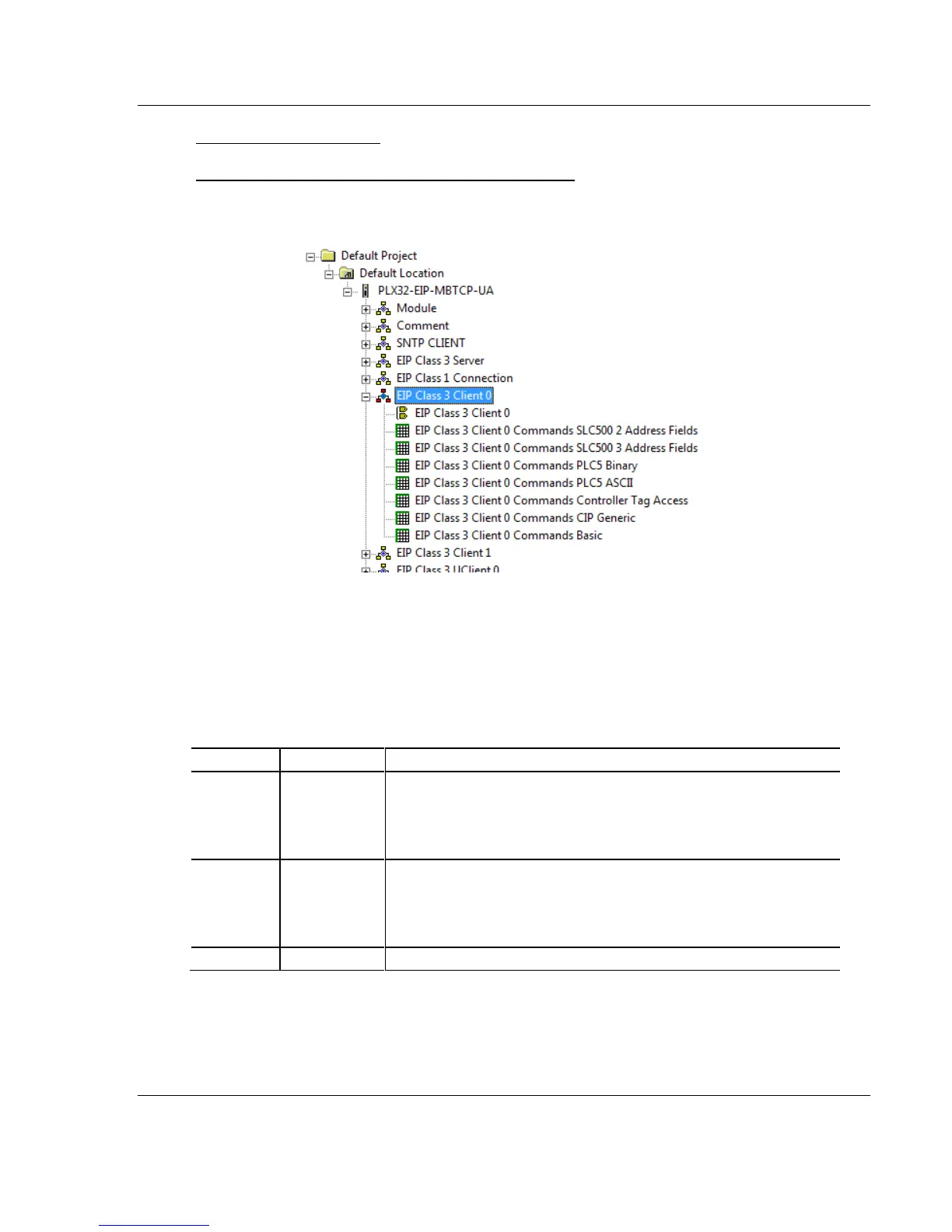
1 In ProSoft Configuration Builder, click the [+] next to the gateway, then click
the [+] next to EIP Class 3 Client [x] or EIP Class 3 UClient [x].
2 Double-click the second EIP Class 3 Client [x] to display the Edit - EIP Class
3 Client [x] dialog box.
3 In the dialog box, click any parameter to change its value.
The following table specifies the configuration for the EIP client (master) device
on the network port:
Specifies the number of milliseconds to wait between the initial
issuances of a command. This parameter can be used to delay all
commands sent to servers to avoid "flooding" commands on the
network. This parameter does not affect retries of a command as they
will be issued when failure is recognized.
Specifies the amount of time in milliseconds that a Client will wait
before re-transmitting a command if no response is received from the
addressed server. The value to use depends on the type of
communication network used, and the expected response time of the
slowest device connected to the network.
Specifies the number of times a command will be retried if it fails.



 To Next Page