EIP Protocol PLX32-EIP-MBTCP-UA ♦ Multi-Protocol Gateway
User Manual
Page 54 of 156 ProSoft Technology, Inc.
March 8, 2018
Class 3 Client[x]/UClient Commands
There is a separate command list for each of the different message types
supported by the protocol. Each list is processed from top to bottom, one after
the other, until all specified commands are completed, and then the polling
process begins again.
This section defines the EtherNet/IP commands to be issued from the gateway to
server devices on the network. You can use these commands for data collection
and control of devices on the TCP/IP network. In order to interface the virtual
database with Rockwell Automation Programmable Automation Controllers
(PACs), Programmable Logic Controllers (PLCs), or other EtherNet/IP server
devices, you must construct a command list, using the command list parameters
for each message type.
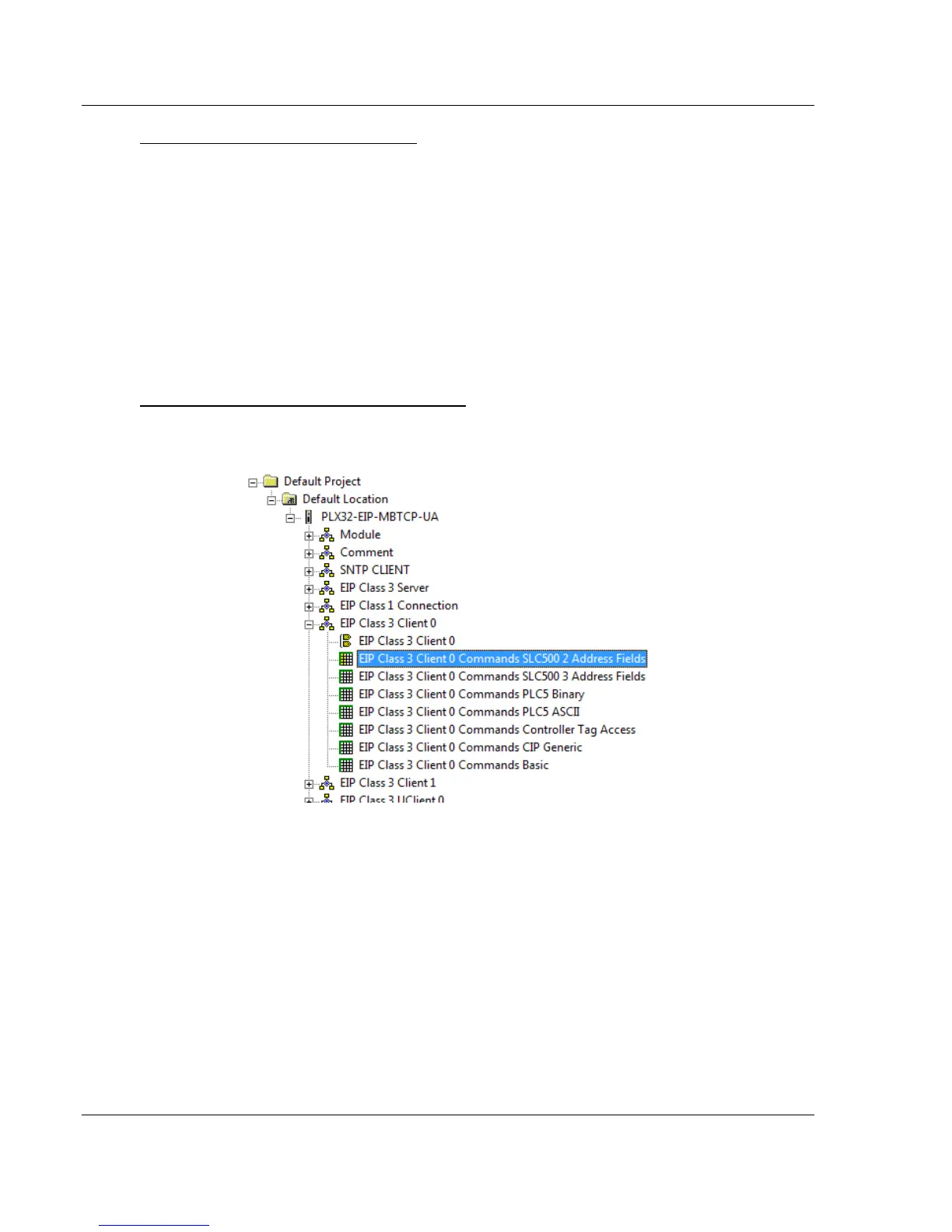
To add Class 3 Client/UClient [x] commands
1 In ProSoft Configuration Builder, click the [+] next to the gateway, then click
the [+] next to EIP Class 3 Client [x] or EIP Class 3 UClient [x].
2 Double-click the desired command type to display the Edit - EIP Class 3
Client [x] Commands or Edit - EIP Class 3 UClient [x] Commands dialog box.
3 Click ADD ROW to add a new command.
4 Click EDIT ROW or double-click the row to display the Edit dialog box where
you configure the command.



 To Next Page