PLX32-EIP-MBTCP-UA ♦ Multi-Protocol Gateway EIP Protocol
User Manual
ProSoft Technology, Inc. Page 75 of 156
March 8, 2018
3 Set the TARGET DEVICE DATA TABLE ADDRESS to a valid file element (such
as,N11:0) for SLC and PLC5 messages. For the PLC2 Unprotected Write
message, set the address to the database index (such as, 1000) for the
command.
4 Set the MULTIHOP option to YES.
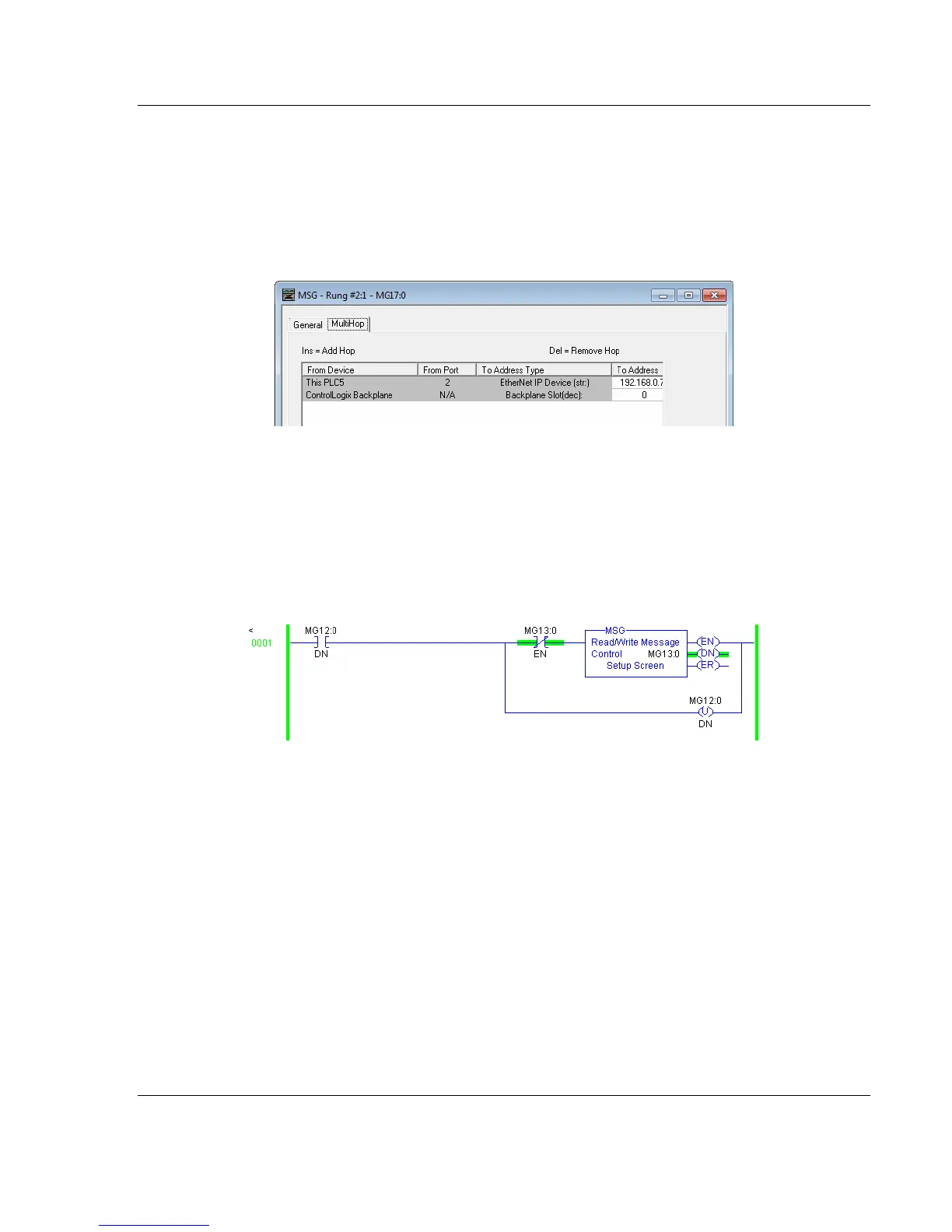
5 Complete MULTIHOP tab portion of the dialog box as shown in the following
image.
6 Set the TO ADDRESS value to the gateway’s Ethernet IP address.
7 Press the INS key to add the second line for ControlLogix Backplane and set
the slot number to zero.
PLC5 Read Commands
Read commands transfer data to the PLC5 processor from the gateway. The
following diagram shows an example rung that executes a read command.



 To Next Page