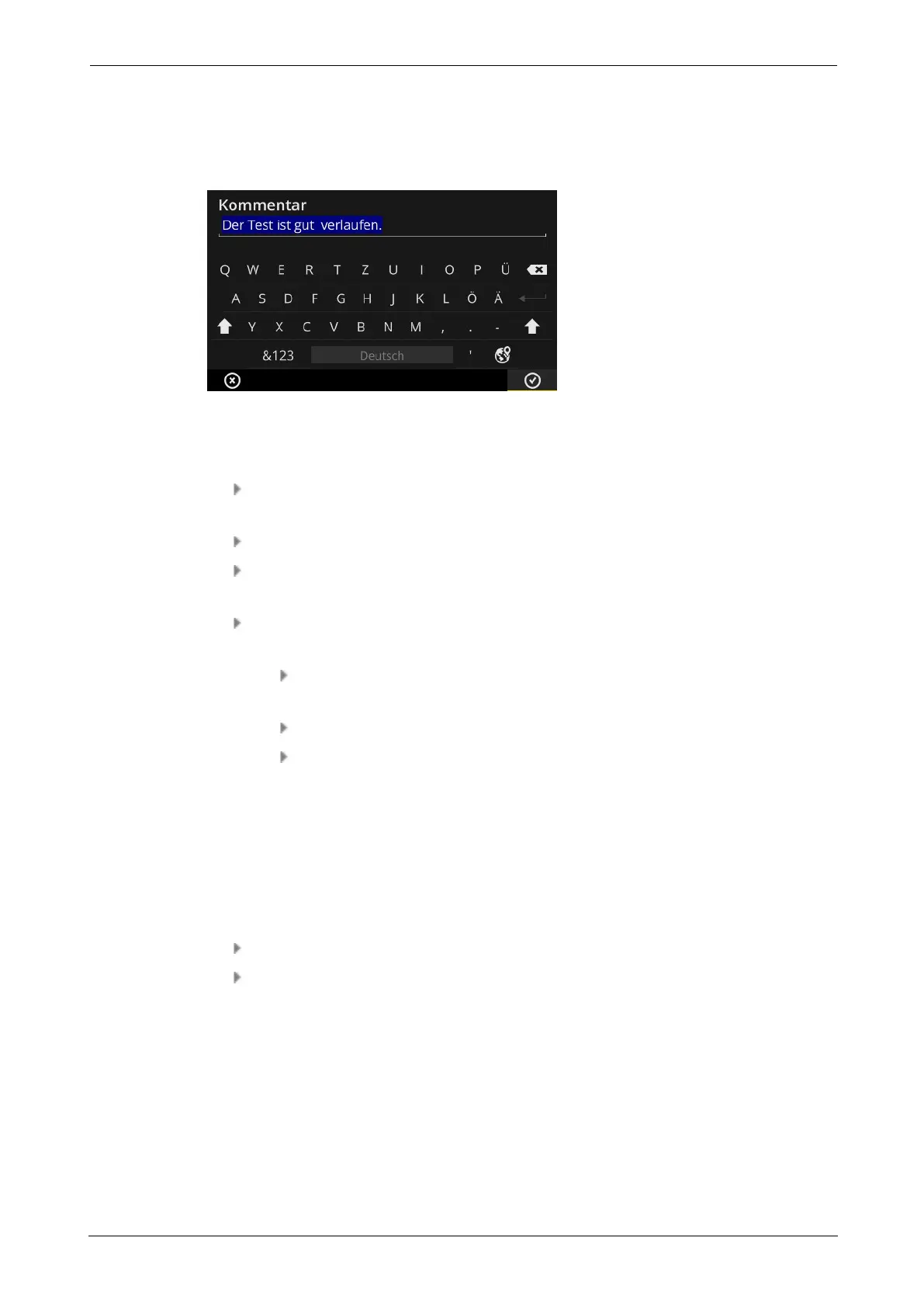
3.4 Text editor
The text editor appears if you must enter a text such as a comment:
3.4.1 Basic functions
To enter a character using the overlaid keyboard, tap on the respective letter. A
maximum of 144 characters can be entered. Multi-line inputs are not possible.
To switch between upper and lower case, tap on the [Shift key].
To delete a character, tap on the [Reset key]. The character on the left of the
cursor is deleted only.
To enter numbers and special characters, overlay the special character keyboard as
follows:
Tap on the [&123] key. If the character in question is not visible, overlay the
second section of the keyboard.
For this purpose, tap on the [1/2] key.
To switch to the letter keyboard, tap on the [ABC] key.
3.4.2 Extended functions
Replacing text
Existing text is highlighted in blue on opening of the text editor (see above).
Tap on the [Reset key] to delete the text.
Enter the new text using the keyboard.
Text suggestions
The text editor offers predictive text. Similar terms appear underneath the input field dur-
ing a text entry. They can be accepted by tapping.
VIBSCANNER 2 49
3 - Operation



 To Next Page