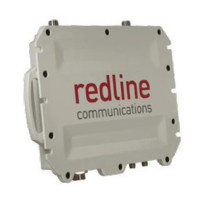
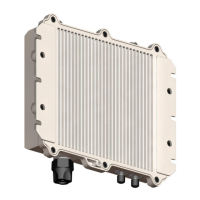
RDL-3000 User Manual
70-00158-01-DRAFT Proprietary Redline Communications © 2010 Page 130 of 142 November 25, 2010
7.4.4 SSH Key Generate Utility
Use the Command 'generate sshkey dsa' to create a DSA key and save this file in the
user (usr) table. This key file is persistent through reboots. After executing the generate
command, the RDL-3000 must be rebooted to activate the new key.
Example: Generate a new DSA key file.
192.168.25.2# generate sshkey dsa
192.168.25.2# reboot
7.5 HTTPS/SSL for Secure Web
HTTPS (SSL) is a standard feature on all RDL-3000 systems. HTTPS uses
authentication and encryption to provide secure access over an unsecured network.
When HTTPS is required, HTTP (unsecured access) should be disabled.
7.5.1 Out-of-Box Operation
The RDL-3000 provides out-of-box HTTPS (SSL) using an embedded X.509 certificate.
The embedded certificate is identical for all shipped RDL-3000 equipment and is
intended only to for initial system configuration. Use of the embedded certificate does
not provide a secure solution.
When using the embedded certificate, warning messages may be displayed based on
browser security settings (e.g., 'The security certificate presented was not issued by a trusted
certificate authority. The security certificate presented was issued for a different website address.)
The operator has full access to the secure Web interface.
It is recommended that system operators generate a unique certificate and private-public
keys, and load these on the RDL-3000 before using the HTTPS feature in a production
environment.
7.5.2 Enable HTTPS/SSL
HTTPS is disabled by (factory) default. Use the Web interface or CLI to enable HTTPS:
Web interface: Configuration screen -> Ethernet: HTTPS Enable
Command: set https on
Save the configuration to active changes.
To access the RDL-3000 using HTTPS, the URL entered in the Web browser must
specify 'https' or directly reference port 443.
Example: To access the RDL-3000 when HTTPS is enabled (default IP shown):
https://192.168.25.2/ (Web browser automatically redirects to port 443)
http://192.168.25.2:443/ (Operator specifies port 443)
7.5.3 Loading HTTPS/SSL Certificate and Key Files
Use the following steps to load user-generated X.509 certificate and key files:
1. Use a commercially available tool to create the required certificate and key files.
The X.509 certificate file must conform to the following:
Maximum file size is 1400 bytes
Subject must match the access method (e.g., IP or name)
Filename must be formatted as follows:
ssl_cert_<mac>.pem
The SSL (RSA) key file must conform to the following:
Maximum 2048 bits.


 To Next Page