RDL-3000 User Manual
70-00158-01-DRAFT Proprietary Redline Communications © 2010 Page 76 of 142 November 25, 2010
4.6.2 Subscriber Link Configuration
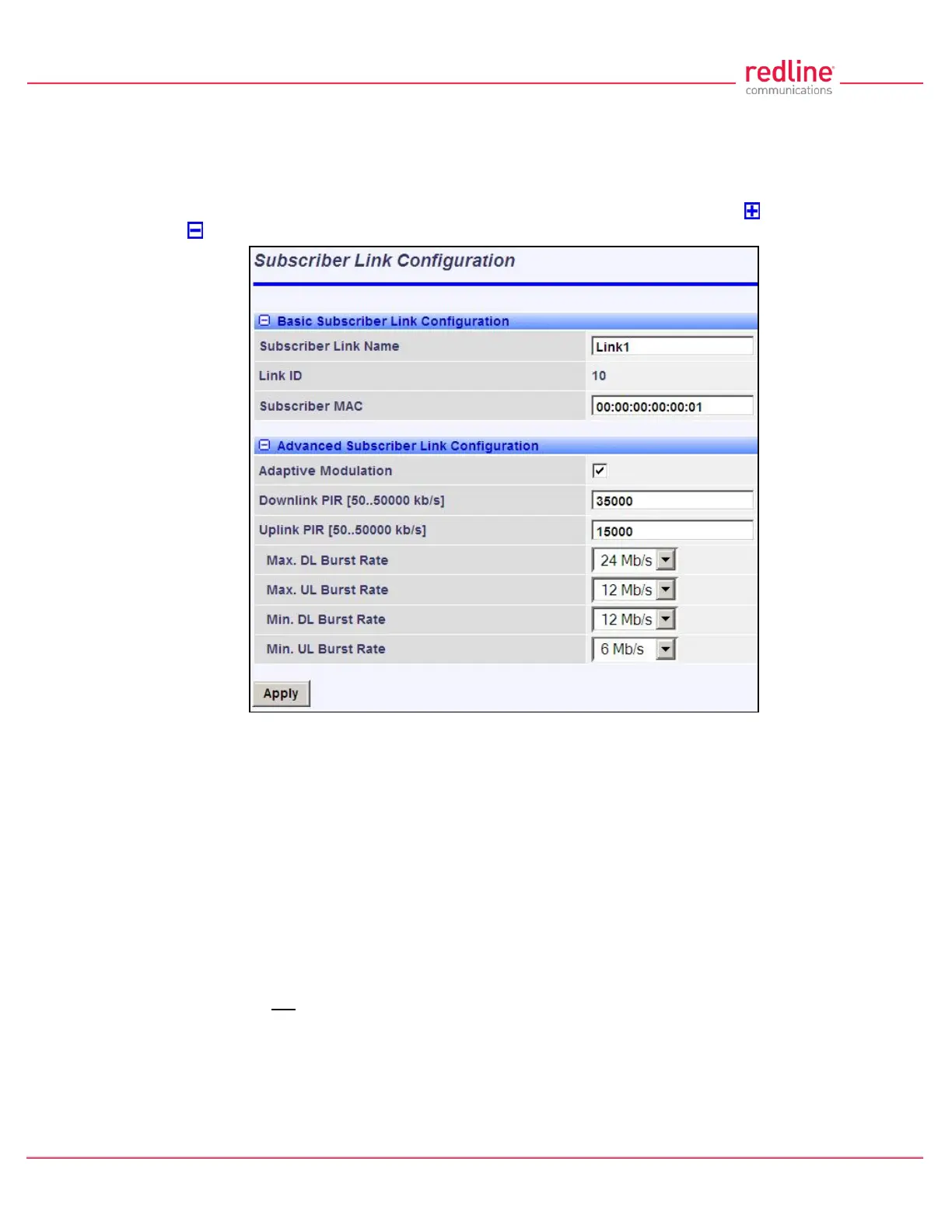
Use this screen to display and modify settings for a Subscriber Link.
Click Provisioning-> New Subscriber Link in the main menu to add a new Subscriber
Link. To edit an existing Subscriber Link, click Provisioning-> Subscriber Links in the
main menu and click on the name of the Subscriber Link (e.g., Link1). Click to expand
or to hide fields.
Fig. 50: Web - Subscriber Link Configuration Screen
Basic Subscriber Link Configuration
Subscriber Link Name: Enter a name to identify this wireless link. This identifier is
displayed on configuration and statistics screens. The name may contain up to fifteen
alpha-numeric characters including a-z, A-Z, 0-9, dash (-), and underscore (_).
Link ID: (Read only) A unique numeric ID generated automatically when the Subscriber
Link is created. This value is required when using the CLI interface to modify SNMP
settings.
Subscriber MAC: Enter the MAC address of the subscriber for this wireless link. The
sector controller will establish a wireless link only with the subscriber having this MAC
address.
For example, when a subscriber unit is replaced (e.g., hardware upgrade), the sector
controller will not establish a wireless link until this field is updated with the MAC address
of the replacement unit.
Advanced Subscriber Link Configuration
Adaptive Modulation: The adaptive modulation feature automatically adjusts
modulation and coding settings to maintain wireless link operation during periods of



 To Next Page