RDL-3000 User Manual
70-00158-01-DRAFT Proprietary Redline Communications © 2010 Page 88 of 142 November 25, 2010
4.7.2 Users Management
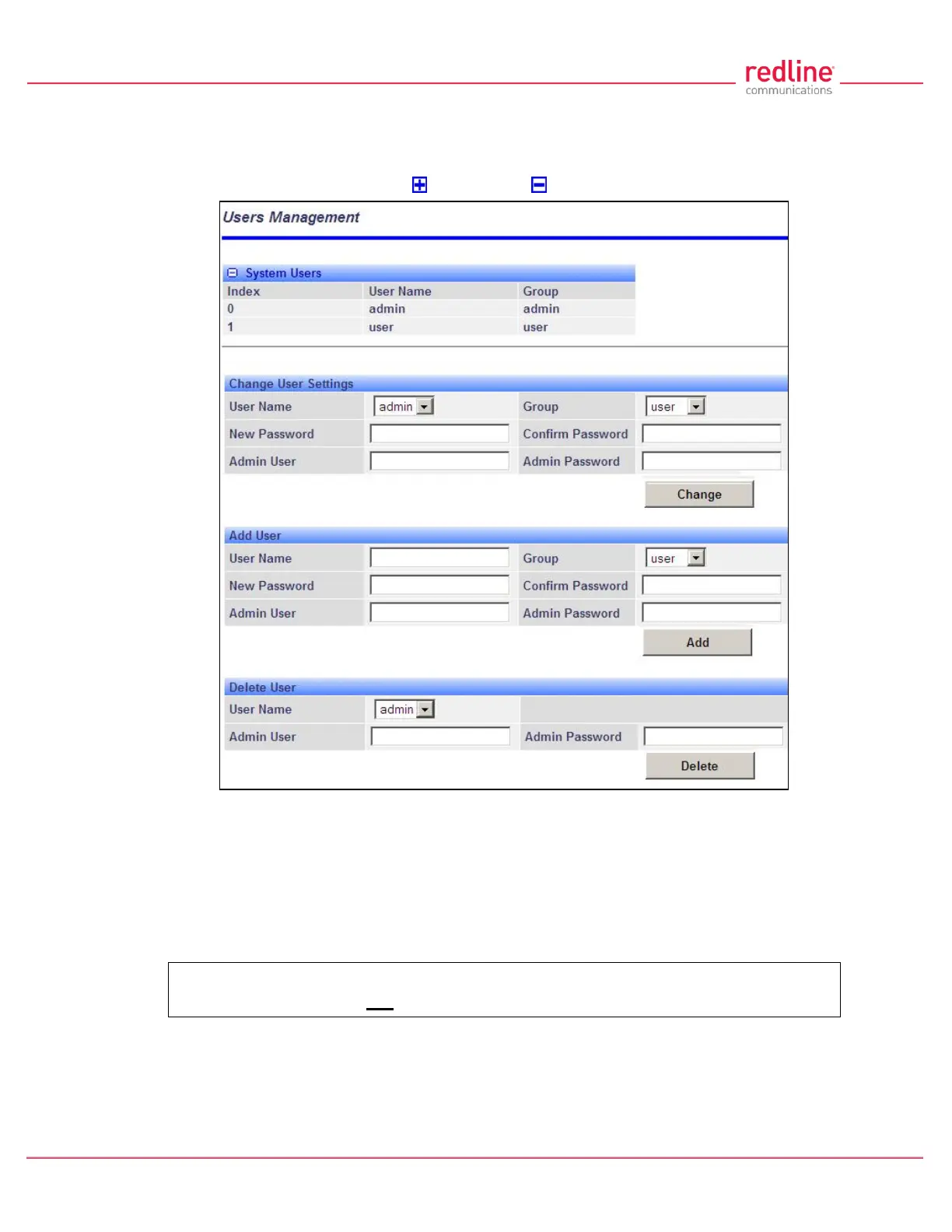
Use the Users Management screen to manage user account and passwords on the
RDL-3000. Click Utilities -> Users Management in the left hand menu to display the
System Password screen. Click to expand or to hide fields.
Fig. 57: Web - Users Management Screen
The RDL-3000 supports administrator and user accounts. See Table 4: Web -
Screens and User Access on page 42 for permissions associated with each group.
Administrators can add new user accounts and modify passwords. Usernames may be 1
to 19 alpha-numeric characters including a-z, A-Z, 0-9, dash (-), and underscore (_),
Passwords may be 8 to 15 alpha-numeric characters including a-z, A-Z, 0-9, dash (-),
and underscore (_).
Important: There must always be at least one 'administrator' account active on
the RDL-3000. You can not manage the RDL-3000 if all accounts are 'user'.
Note: When user authentication is set to RADIUS Only or Local + RADIUS, the
authorization data is retrieved from the RADIUS server at ten minute intervals. For
example, if a user's authorization is changed on the RADIUS server, it may be up to ten
minutes (max.) before the RDL-3000 is updated.



 To Next Page