RDL-3000 User Manual
70-00158-01-DRAFT Proprietary Redline Communications © 2010 Page 61 of 142 November 25, 2010
4.5.2 RADIUS Setup
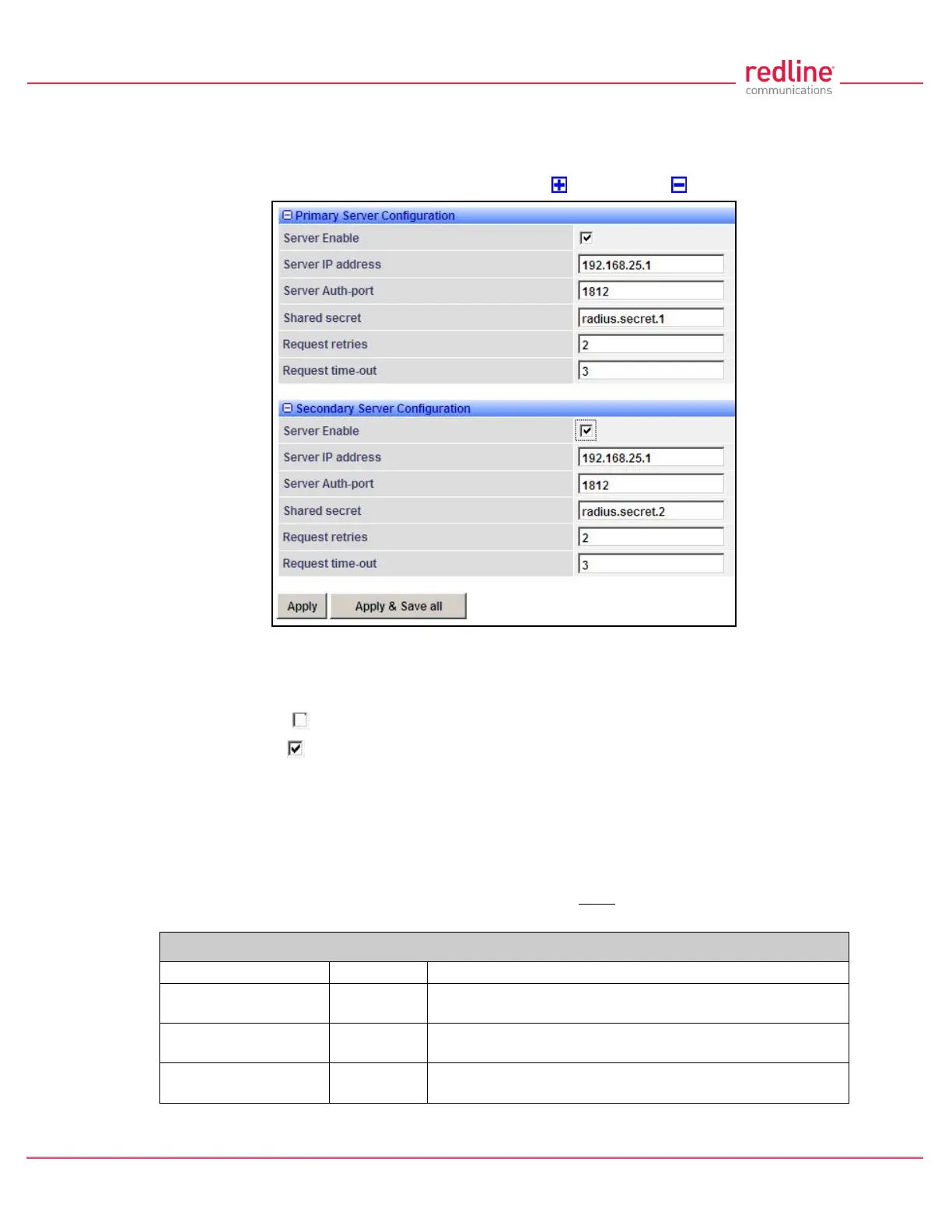
When Radius or Local + RADIUS is checked, click Configuration->System->RADIUS in
the main menu to display the RADIUS Configuration screen. Identical screens are used
for the sector controller and subscriber units. Click to expand or to hide fields.
Fig. 38: Web - RADIUS Configuration Screen
The following fields are provided for the primary and secondary RADIUS server:
Server Enable: Control the RADIUS server mode.
Disabled ( ):.Do not use the Primary/Secondary RADIUS server.
Enabled ( ): Use the Primary/Secondary RADIUS server for user authentication.
Server IP Address: RADIUS server IP address.
Server Auth-port: Listening port address on RADIUS server (default port is 1812).
Shared secret: Password for RADIUS server. Must conform to security policy.
Request retries: Maximum number for attempts to contact target RADIUS server.
Request time-out: Time to wait for response from RADIUS server (seconds).
When using a FreeRadius server, the following files must be modified on the RADUIS
server platform. See the RADIUS documentation for additional operating details.
Table 6: Web - Required FreeRadius Files
client 192.168.0.0/16 {secret = secret shortname = RDL3000 }
admuser : Auth-Type := Local, User-Password == "abc"
Service-Type = Administrative-User
usrjoe: Auth-Type := Local, User-Password == "pass"
Service-Type = NAS-Prompt-User
lameuser: Auth-Type := Reject
Reply-Message = "Account has been disabled."



 To Next Page