RDL-3000 User Manual
70-00158-01-DRAFT Proprietary Redline Communications © 2010 Page 64 of 142 November 25, 2010
DES: DES (Data Encryption Standard) is an encryption standard.
AES: AES (Advanced Encryption Standard) is an encryption standard.
Save SNMP v3 Configuration: Click to activate the displayed settings.
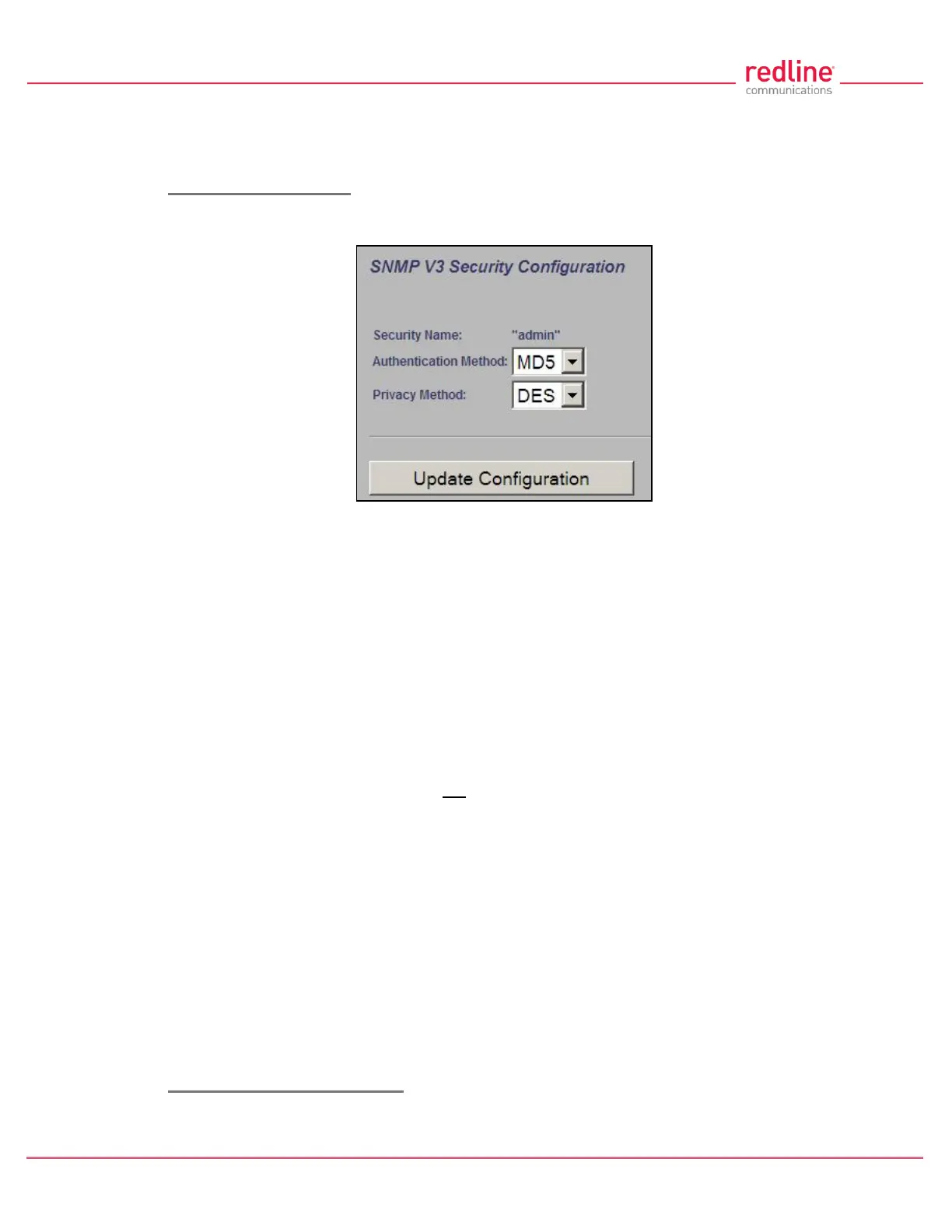
Edit SNMP v3 Security
Click Change or Add in the SNMP community section of the screen to modify the
associated SNMP v3 security settings. The following popup dialog is displayed:
Fig. 42: Web - SNMP v3 Configuration Dialog
Security Name: name of the selected account to use for SNMP v3 requests.
Authentication Method: Select the access permissions for this entry.
MD5: MD5 (Message-Digest algorithm 5) is a cryptographic hash function with a
128-bit hash value (RFC 1321).
SHA: SHA (secure Hash Algorith) is a set of cryptographic hash functions.
Privacy Method: Select the access permissions for this entry.
None: Deny read and write permission for this entry.
DES: DES (Data Encryption Standard) is an encryption standard.
AES: AES (Advanced Encryption Standard) is an encryption standard.
Update Configuration: Click to accept the displayed settings and return to the SNMP
Configuration screen. Clicking does not activate changes.
SNMP Trap Destination Settings
This section of the SNMP Configuration screen displays the SNMP trap destination
settings. SNMP trap messages inform network management devices of changes to the
RDL-3000 status.
IP Address (IPv4): IP address of this trap listener. A copy of each SNMP trap message
is transmitted to this address.
Port: Destination port address of this trap listener.
Community String: (SNMP v2) Community string associated with this trap listener.
User Name: (SNMP v3) User account associated with this trap listener.
Change: Click Change to modify the existing SNMP community string.
Add: Click to create a new SNMP community string (up to eight community strings).
Edit SNMP Trap Destinations
Click Change or Add in the SNMP Trap Destinations section of the screen to modify the
list of trap listeners. The following popup dialog is displayed:



 To Next Page