RDL-3000 User Manual
70-00158-01-DRAFT Proprietary Redline Communications © 2010 Page 83 of 142 November 25, 2010
4.6.6 Subscriber Service Status
Services status and configuration screens can not be displayed directly; the operator
must first select a Subscriber Link or Service Group, and then choose the Service from
the list. Refer to the following screens:
4.4.5: Subscriber Services Summary Screen (SS Only) on page 53
4.6.1: Subscriber Links on page 74
4.6.3: Service Groups on page 79
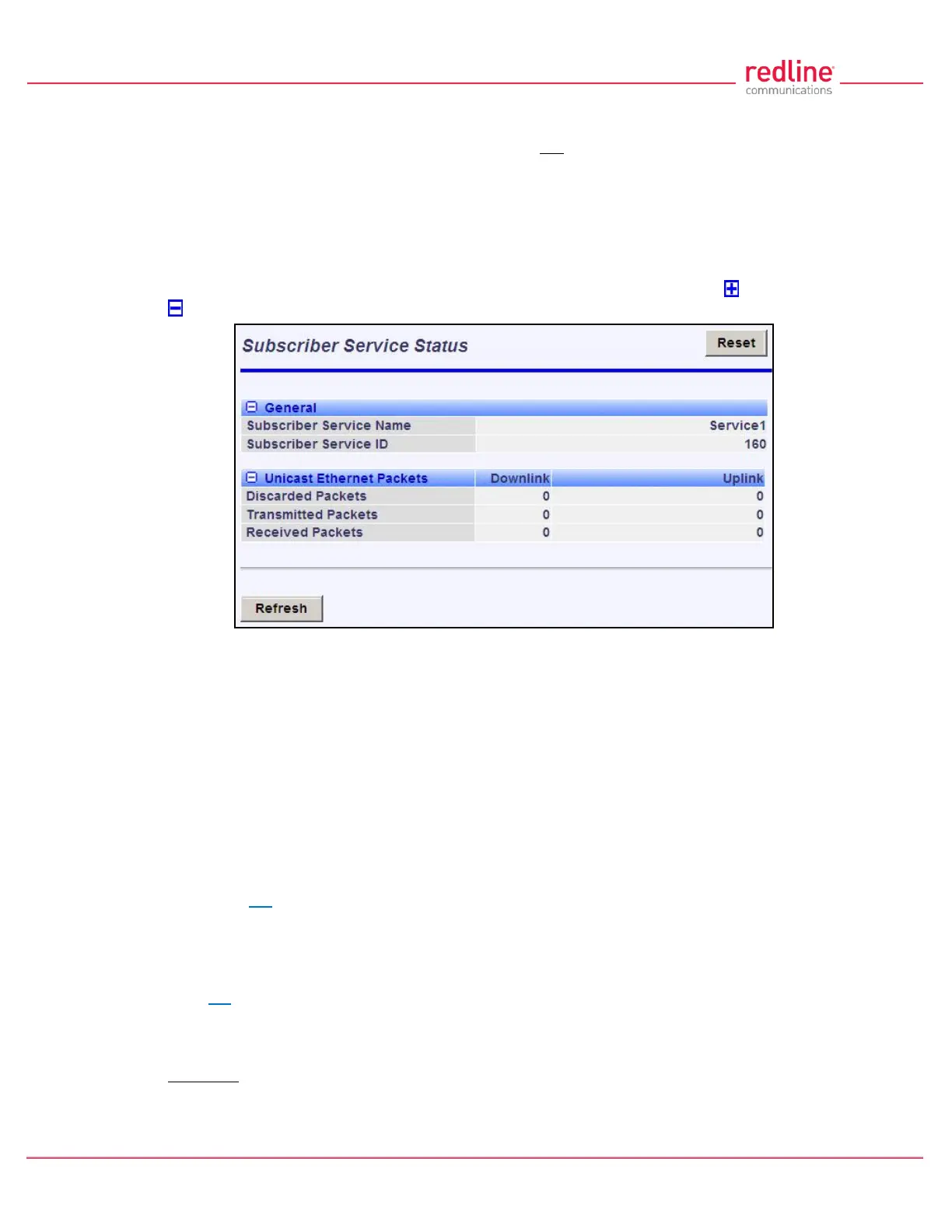
This screen displays status and statistics information for a Service. Click to expand or
to hide fields.
Fig. 54: Web - Service Status Screen
General
Service Name: Operator-assigned name for this Service.
Service ID: A unique numeric ID generated automatically when the Service was created.
This value is required when using the CLI interface to modify Service settings.
Ethernet Packets
Packets: Discarded: Total number of packets discarded by the local system due to errors.
Rx: Received wireless packets discarded.
Tx: Transmitted wireless packets discarded by remote end unit.
Packets Transmitted: Total packets successfully processed over the wireless interface.
Total does not include discarded or errored packets.
Rx: Total received wireless packets.
Tx: Total transmitted wireless packets.
Packets Received: Total packets successfully processed over the wireless interface. Total
does not include discarded or errored packets.
Rx: Total received wireless packets.
Tx: Total transmitted wireless packets.
Controls
Reset: Click to zero all displayed statistics counters.
Refresh: Click to update displayed statistics counters.



 To Next Page