RDL-3000 User Manual
70-00158-01-DRAFT Proprietary Redline Communications © 2010 Page 81 of 142 November 25, 2010
4.6.5 Service Group Configuration
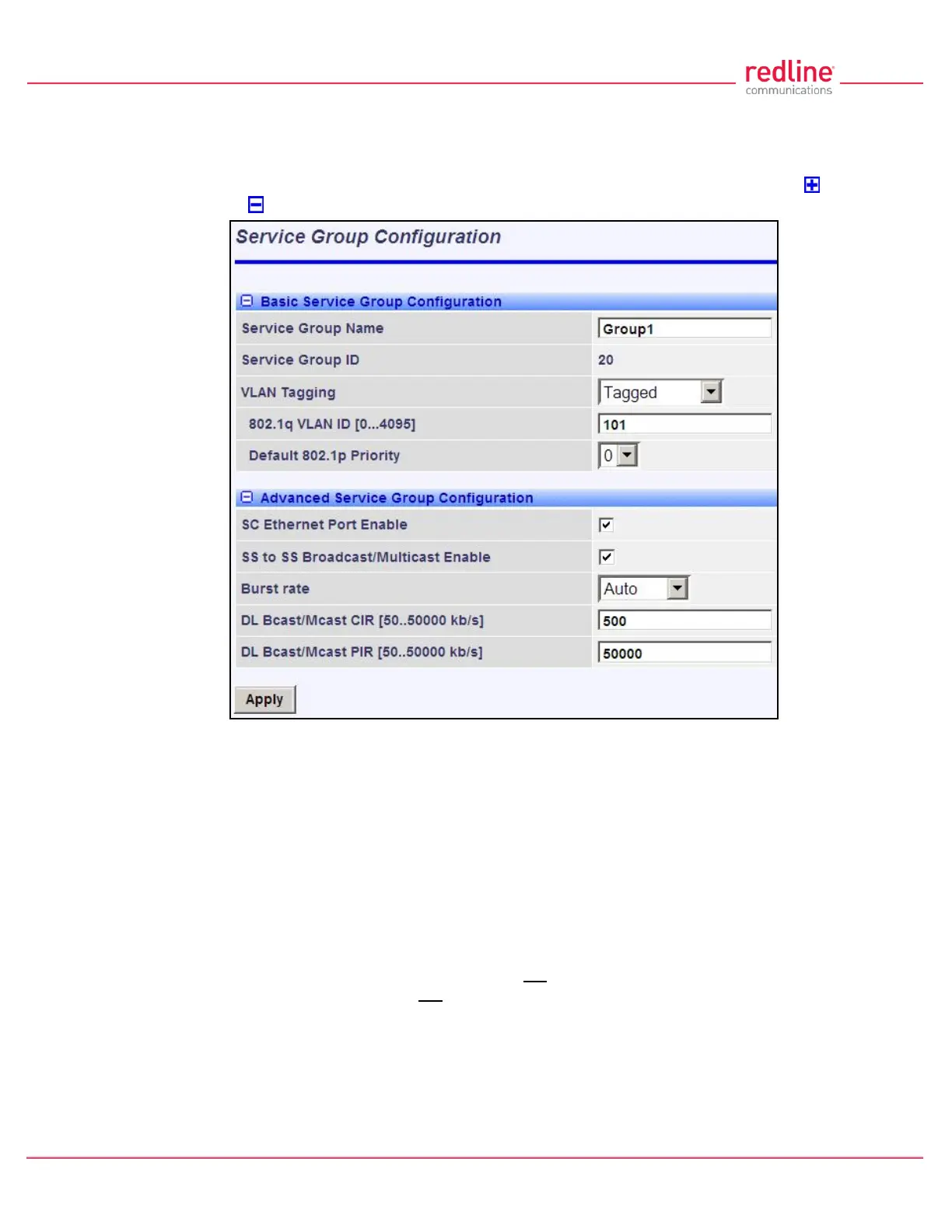
Use this screen to create new Service Groups or view/modify existing Service Groups.
Click Service Groups in the main menu, locate the desired Service Group in the table,
and click on the Service Group name (Name column) to display this screen. Click to
expand or to hide fields.
Fig. 53: Web - Service Group Configuration Screen
Basic Service Group Configuration
Service Group Name: Enter a unique name to identify this Service group. This identifier
is displayed on configuration and statistics screens. The name may contain up to fifteen
(15) alpha-numeric characters including a-z, A-Z, 0-9, dash (-), and underscore (_).
Service Group ID: (Read only) A unique numeric ID generated automatically when a
Service Group is created. This value is required when using the CLI interface to modify
Service Group settings.
VLAN Tagging: Select the classification mode for this Service Group.
Tagged: Select tagged to associate a unique VID with this Group.
Pass-through: Classify all packets that do not have a VLAN ID, or where the
outermost VLAN ID tag does not match the VLAN ID for any tagged Group. Ethernet
ingress port are discarded.
802.1Q VLAN ID [0-4095]: Enter the VID associated with this Group definition.
This field is used only when 'Tagged' is selected in the Group Tagging Mode field.
Default Priority: Enter the default 802.1p priority setting.



 To Next Page